
Dive into the world of computer hardware! This guide breaks...
 Computer Science / Programming32 views·Updated Jul 9, 2026·6 pages
Essential Guide to PC Hardware Components
R
Ryza Cate Galicia@ryzacategalicia
1 / 6
1
of 6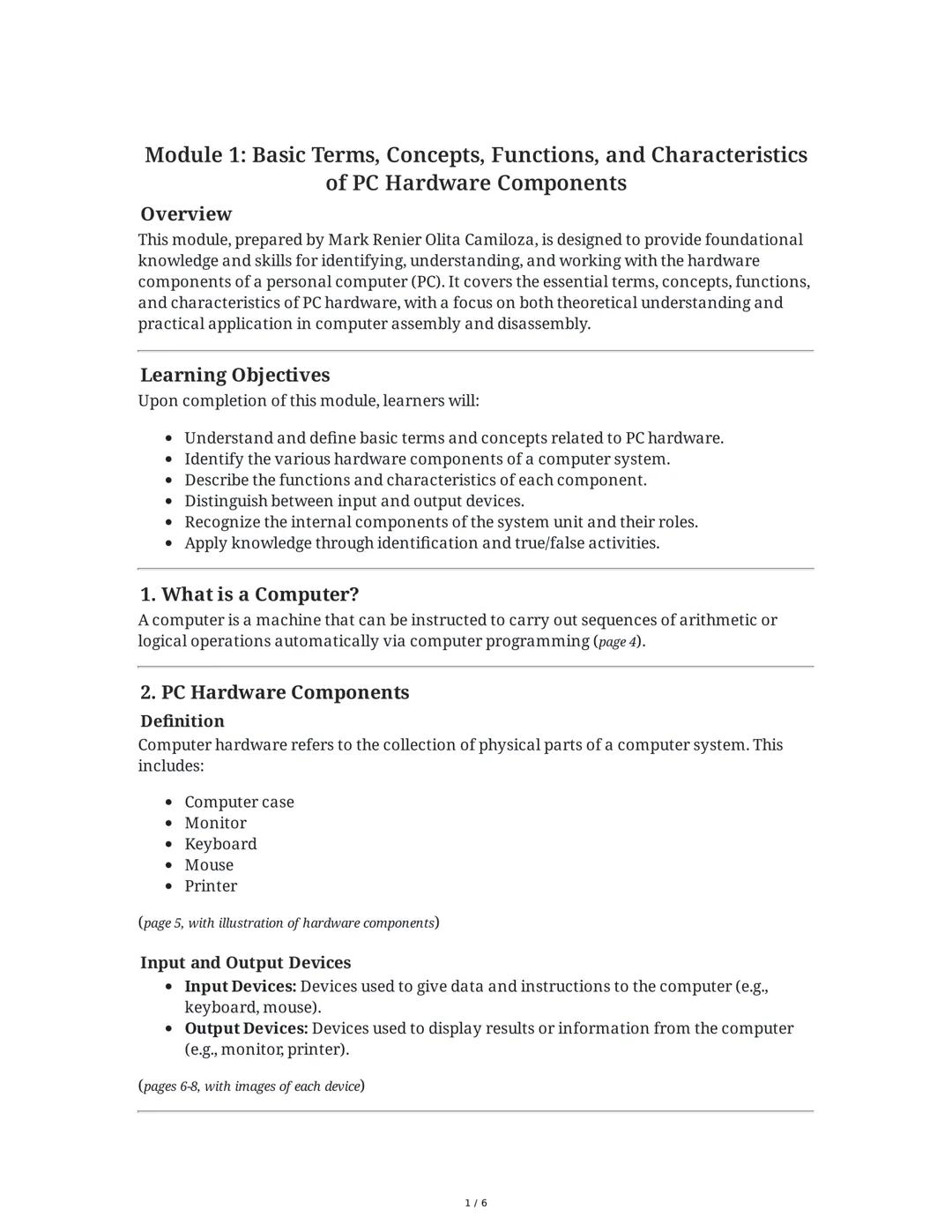
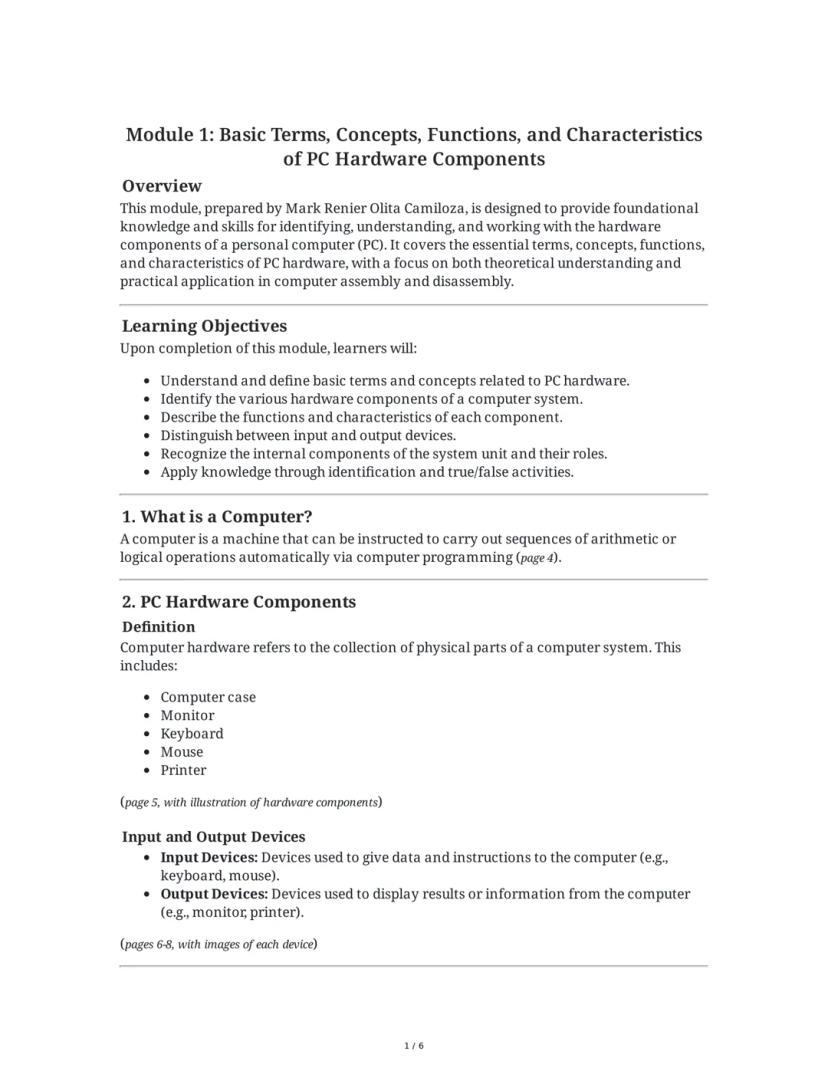
Computer Basics and Hardware Components
Ever wondered what's actually inside your computer? A computer is basically a machine that follows instructions to perform calculations and operations automatically. It's made up of physical parts called hardware components.
The main hardware components of a PC include the computer case (that box sitting on or under your desk), monitor, keyboard, mouse, and printer. These work together to form a complete system. Each part has a specific job to make your computer function properly.
Computer components fall into two main categories. Input devices like keyboards and mice send information to your computer, while output devices like monitors and printers show you the results of what your computer is doing.
💡 Try This! Next time you're at your computer, identify which devices are input (sending information IN) and which are output (sending information OUT). Some devices, like touchscreens, can actually do both!
2
of 6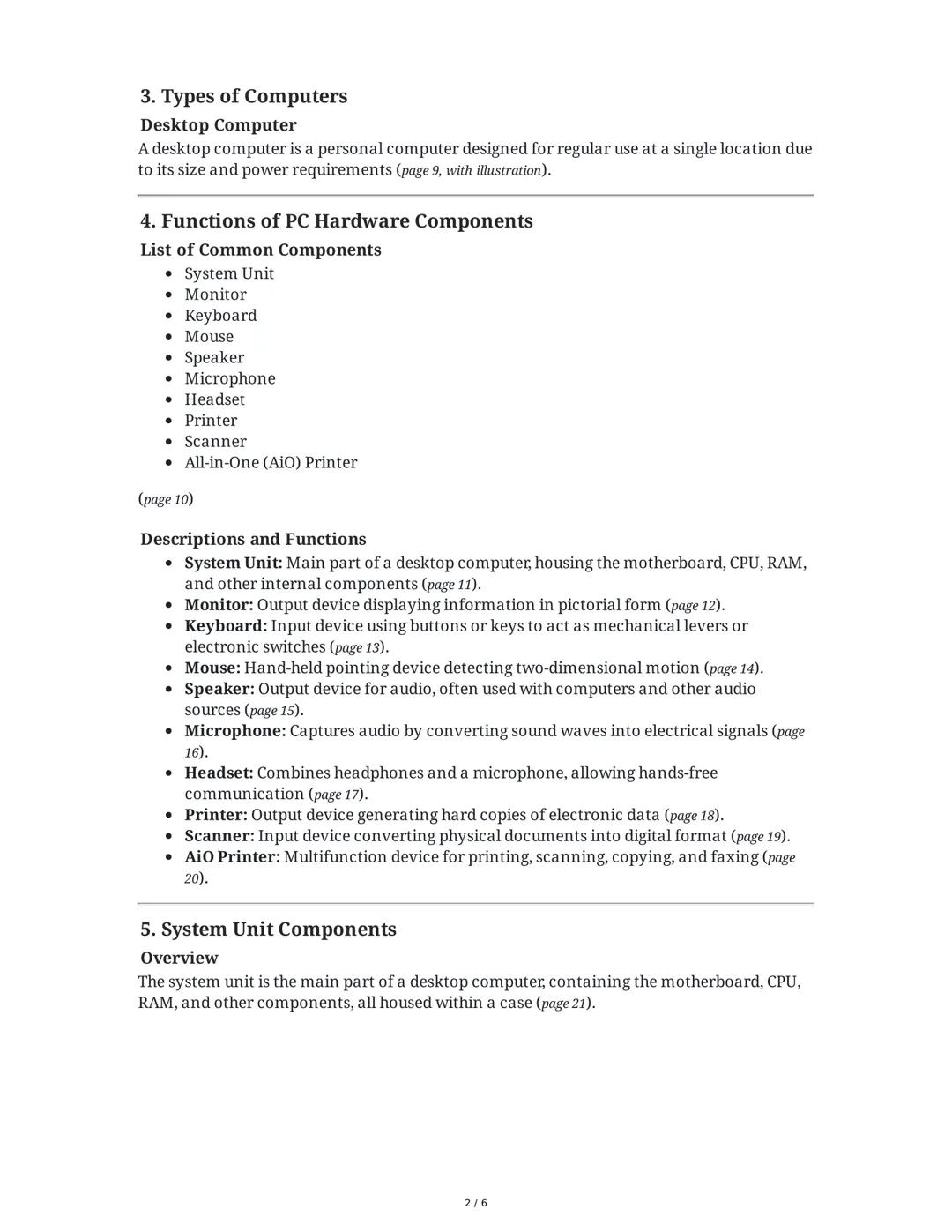
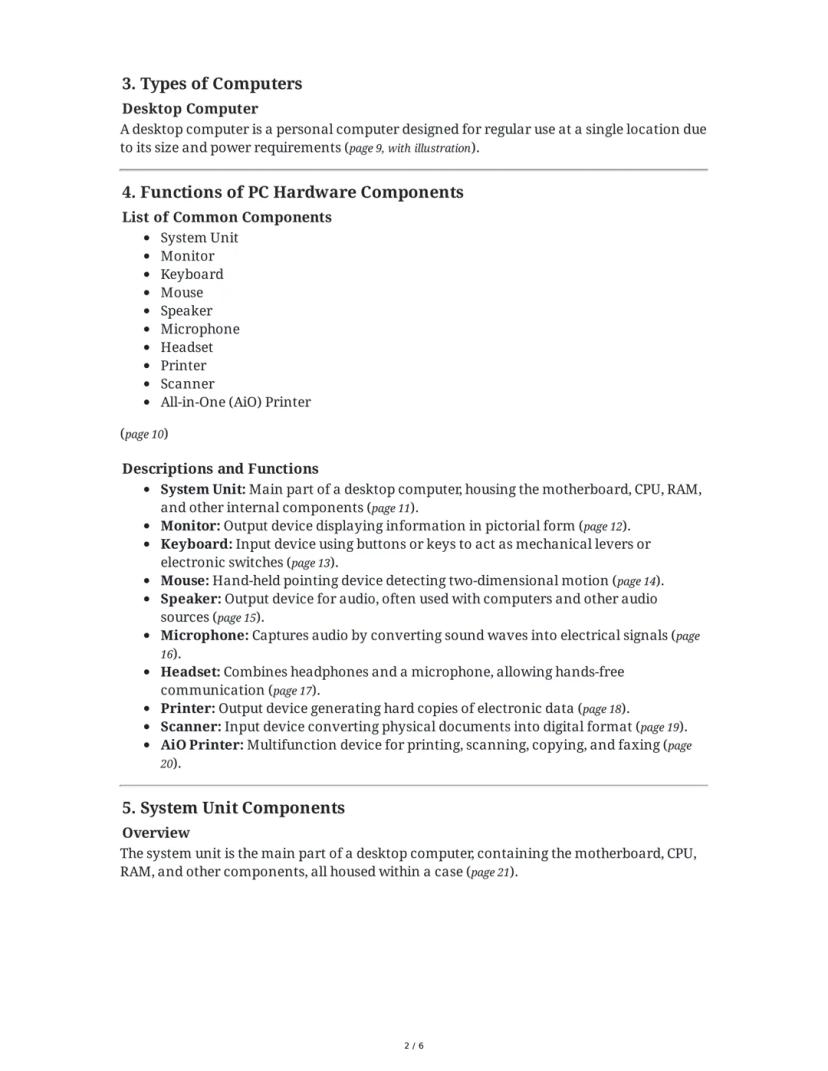
Common PC Components and Their Functions
Your desktop computer is designed to stay in one place, unlike laptops that you can carry around. It has several key components that work together as a system.
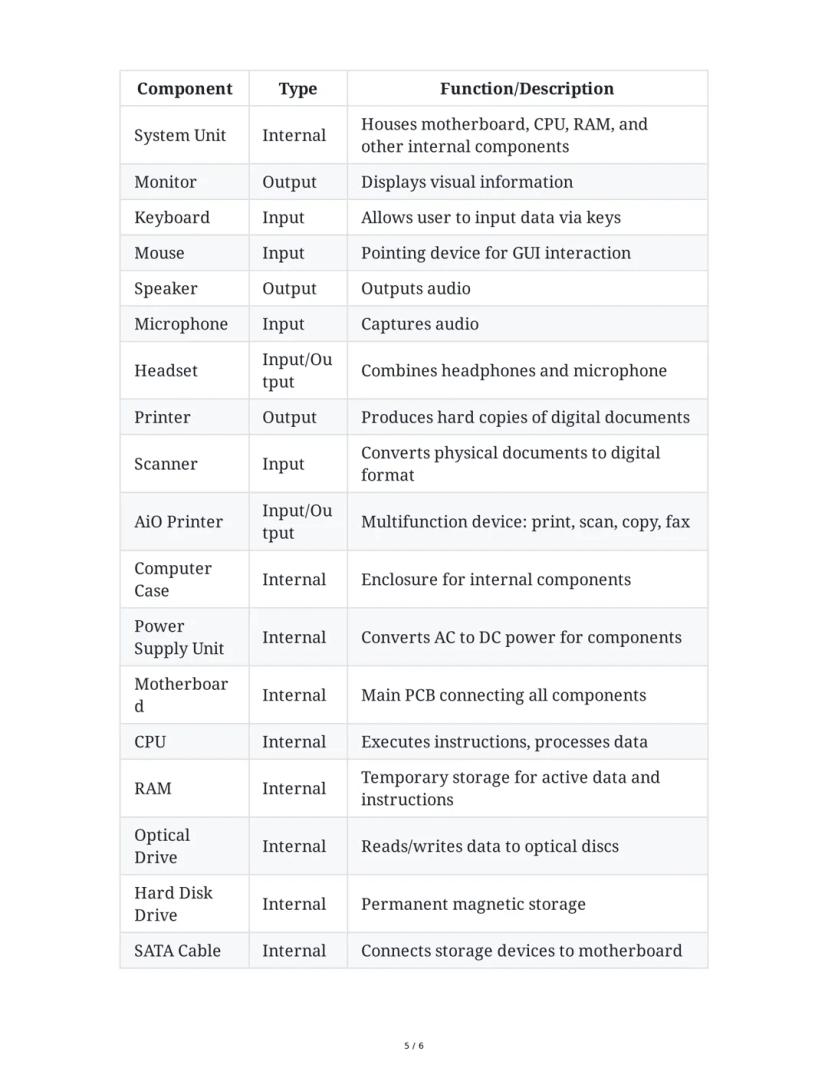
The system unit is the main part of your desktop computer—it's the box that houses all the internal components that make your computer work. The monitor displays everything visually so you can see what you're doing, while the keyboard and mouse let you interact with your computer.
For sound, computers use speakers to play audio and a microphone to capture your voice or other sounds. Many gamers and remote workers use a headset which combines headphones with a microphone for convenience.
Other common components include printers that create physical copies of your documents, scanners that convert physical images into digital ones, and All-in-One printers that can print, scan, copy, and sometimes even fax documents.
🔍 Remember: The system unit is the brain of your computer—everything else connects to it. If you're troubleshooting a problem, start by checking if all devices are properly connected to the system unit.
3
of 6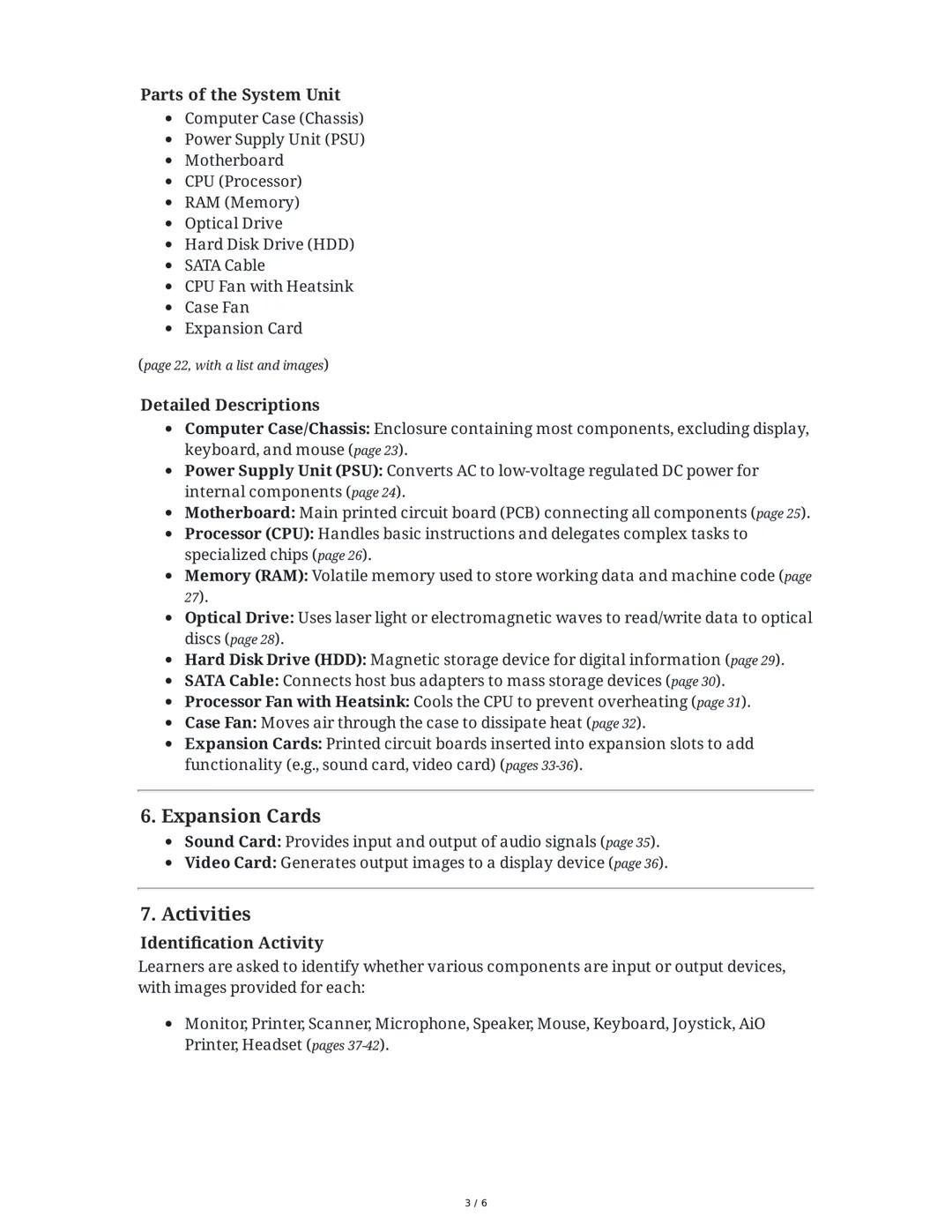
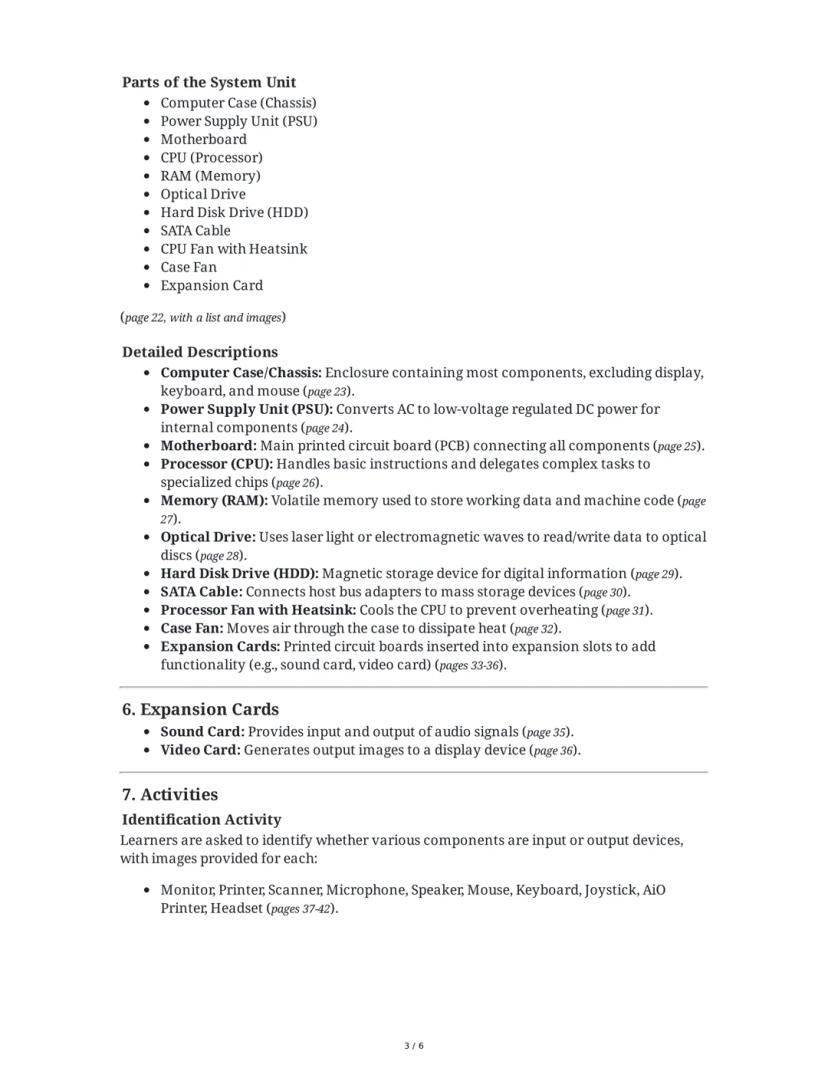
Inside the System Unit
Crack open that computer case, and you'll find a whole world of components working together! The system unit contains all the essential parts that make your computer function.
The computer case (or chassis) protects everything inside, while the power supply unit (PSU) converts electricity from your wall outlet into the right type of power for your computer components. The motherboard is like the central highway—it connects all other parts together. The CPU (processor) is your computer's brain, making calculations and decisions, while RAM (memory) temporarily stores what you're currently working on.
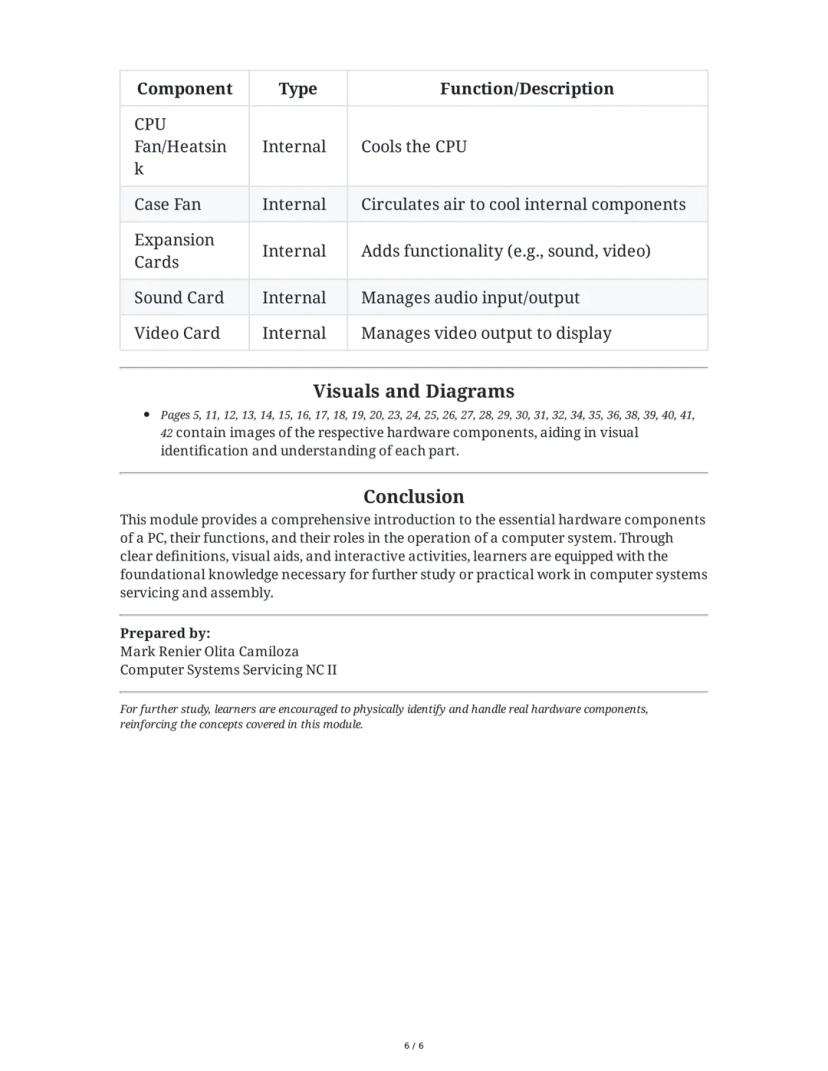
For storage, computers use hard disk drives (HDD) to permanently save your files, and optical drives to read CDs and DVDs. SATA cables connect these storage devices to the motherboard. To keep everything cool, computers use processor fans with heatsinks directly on the CPU and case fans to move air through the system.
Expansion cards add extra features to your computer. Common types include sound cards for processing audio and video cards for generating what you see on your monitor, especially important for gaming and graphic design.
🔥 Cool Fact: Without fans and heatsinks, a working CPU would get hot enough to fry an egg in minutes! That's why cooling is so important in computer design.
4
of 6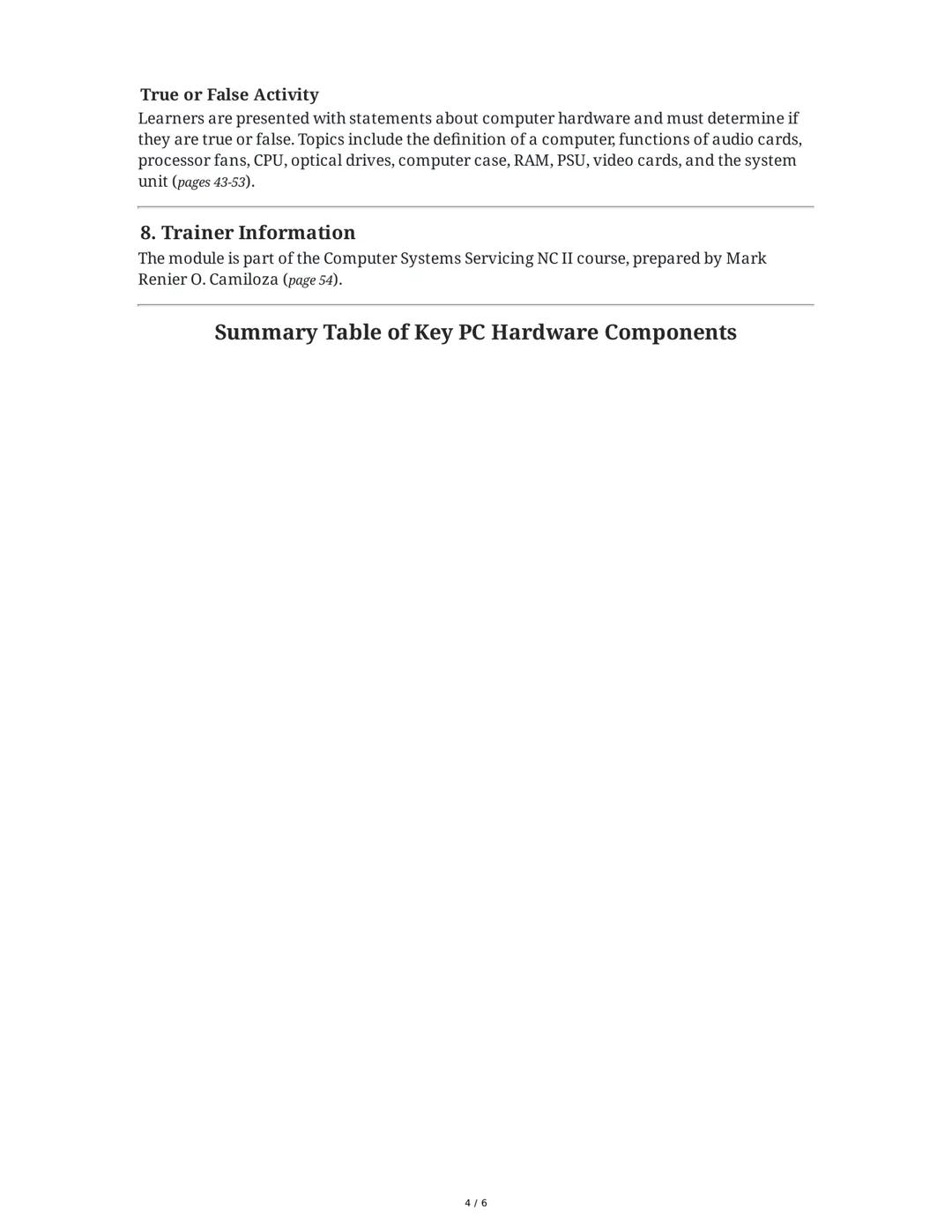
Understanding Computer Hardware Functions
Computer components work together like a team, each with their own special job. When one part fails, it affects the whole system!
The CPU (Central Processing Unit) works as your computer's brain, processing instructions and performing calculations at lightning speed. It gets hot while working, which is why the processor fan with heatsink is crucial—it prevents overheating that could damage your system.
Your computer's RAM (Random Access Memory) acts like a temporary workspace. Unlike your hard drive, RAM is "volatile," meaning it loses all data when your computer powers off. The more RAM you have, the more programs you can run smoothly at once.
The power supply unit (PSU) might not seem exciting, but it's critical. It converts the electricity from your wall outlet into the specific voltages needed by different components inside your computer. A failing power supply can cause mysterious crashes and damage other components.
🧠 Quick Tip: If your computer freezes often, check if you have enough RAM! Adding more RAM is one of the easiest and most effective upgrades to improve a sluggish computer's performance.
5
of 6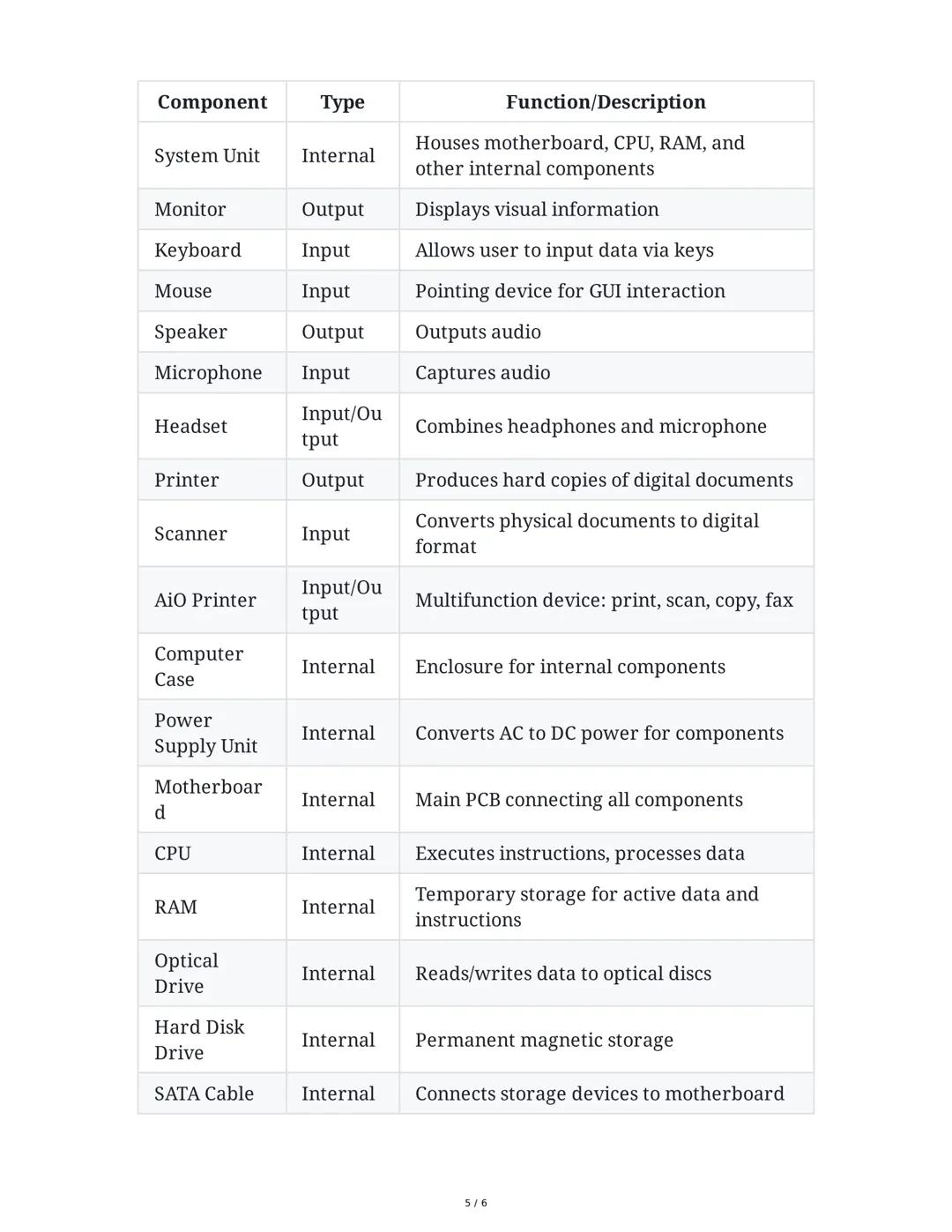
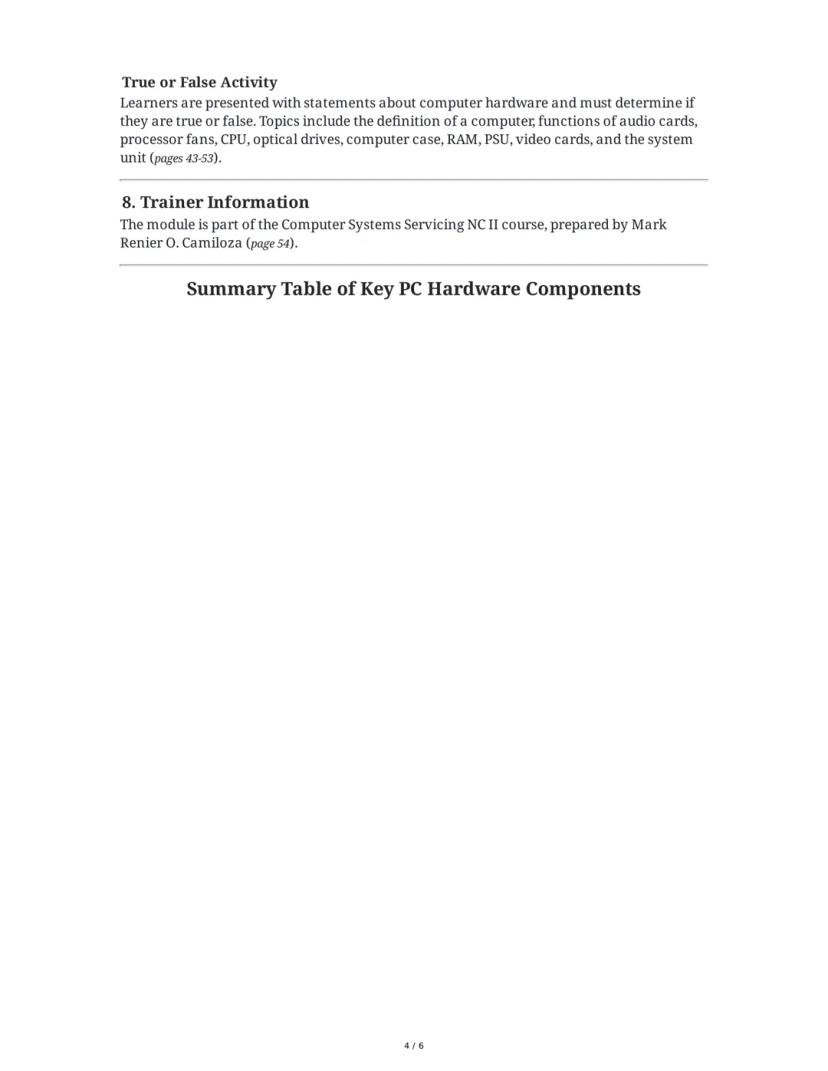
Key Hardware Components Reference Guide
When building or upgrading a computer, understanding the role of each component helps you make smart choices. Here's what each main part does:
The motherboard serves as the foundation of your computer, connecting all components together. The CPU (processor) handles all calculations and instructions, while RAM provides temporary high-speed storage for active programs. For permanent storage, most computers use a hard disk drive (HDD) or solid-state drive (SSD).
Input devices send information to your computer—your keyboard lets you type, your mouse helps you navigate, and microphones capture audio. Output devices deliver information to you—monitors display visuals, speakers play sound, and printers create physical copies of documents.
Some components handle both input and output, like headsets (for listening and speaking) and All-in-One printers (which can print documents and scan physical papers). Internal components like expansion cards add specialized functions—video cards improve graphics performance and sound cards enhance audio quality.
👀 Did You Know? Modern motherboards have become so advanced that many include built-in sound, video, and networking capabilities that used to require separate expansion cards!
6
of 6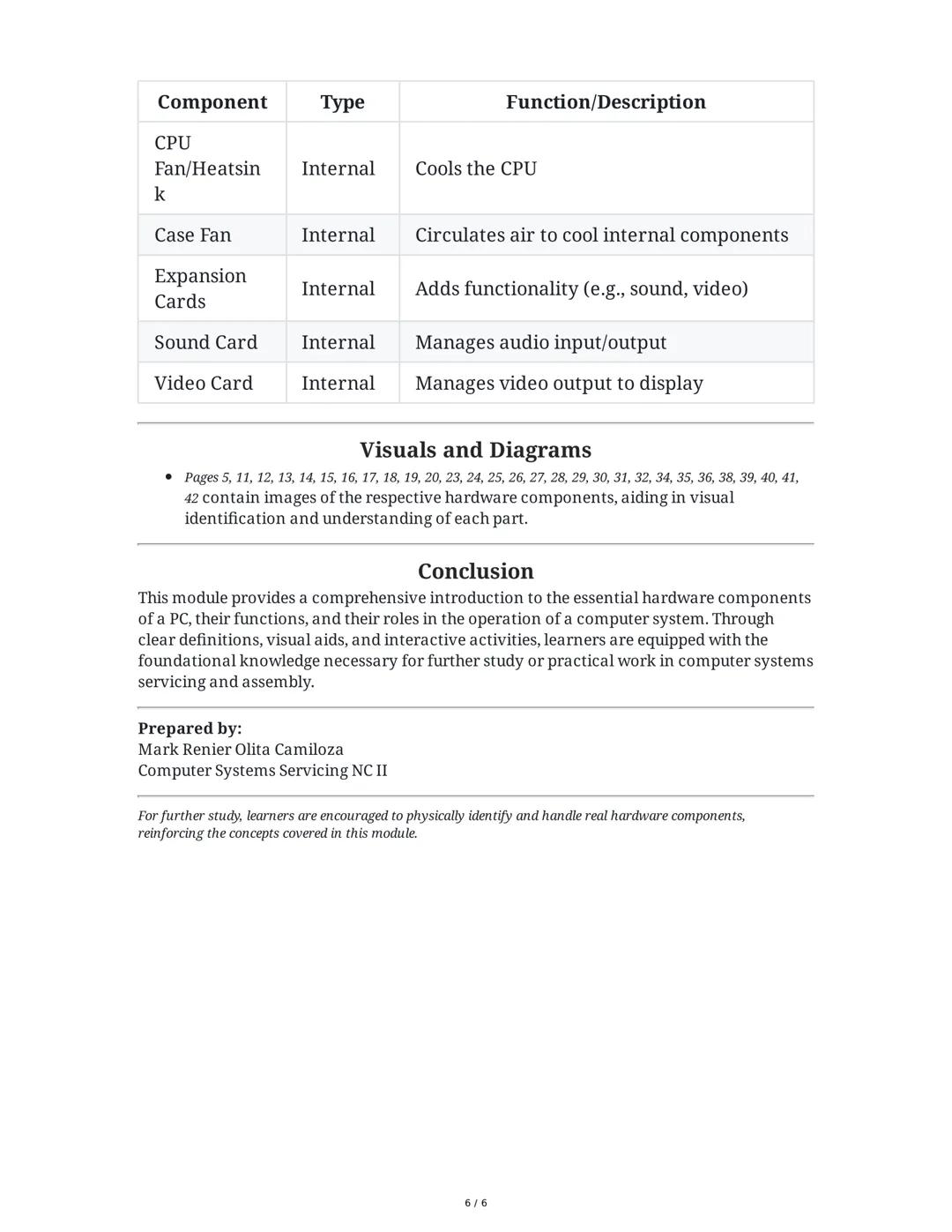
Building Your Computer Knowledge
The components inside your system work together to keep your computer running smoothly. Cooling components like the CPU fan/heatsink and case fans are vital—without proper cooling, computers quickly overheat and shut down to prevent damage.
Expansion cards plug into special slots on the motherboard to add features. A powerful video card (also called a graphics card) is essential for gaming and video editing, while a quality sound card improves audio for music production or high-end gaming setups.
Understanding computer hardware isn't just theoretical—it's practical knowledge that helps you make better purchasing decisions, troubleshoot problems, and even build your own computer. The skills you learn about PC hardware components form the foundation for further study in computer science, IT support, and engineering.
🛠️ Level Up Your Learning: The best way to understand computer hardware is to see it in person! If possible, ask a teacher if you can look inside an old computer system, or watch computer building videos online to see these components in action.
We thought you’d never ask...
Our AI companion is specifically built for the needs of students. Based on the millions of content pieces we have on the platform we can provide truly meaningful and relevant answers to students. But its not only about answers, the companion is even more about guiding students through their daily learning challenges, with personalised study plans, quizzes or content pieces in the chat and 100% personalisation based on the students skills and developments.
You can download the app in the Google Play Store and in the Apple App Store.
That's right! Enjoy free access to study content, connect with fellow students, and get instant help – all at your fingertips.
Most popular content in Computer Science / Programming
6Computer Science / ProgrammingData Structure And Algorithm with c
Data Structure and Algorithm (dsa) you can learn the dsa with the help of c language. You should familiar with c language so 1st learn about c language so you can easily learn the Data Structure and Algorithm is easy to learn by the help of this notes.
19414
AP Computer Science AHTML tags, codes, definition
HTML tags, codes, and definition with examples
34417
Computer Science / ProgrammingObject Oriented programming
In these notes you will understand what oops are ,and how are used
College611
AP Computer Science ABasics in using a Microsoft Word
This is a lecture note that is all about using Microsoft Word. This includes detailed step by step process as well as the important parts in Microsoft Word.
1421
Computer Science / ProgrammingHistory of Computers
This lecture explores the history of computers, from early calculation tools to modern intelligent machines, covering the definition of a computer, early devices, and the evolution of computer generations.
941
 Fun Stuff
Intro to Python Pt 1
This is a summary of the basics of python such as variables, print, and if statements.
10th2715
Most popular content
9O
 AP US History
Origins and Dynamics of the Columbian Exchange
Analyze the ecological and economic motivations behind the initial transfer of goods, people, and diseases between the Old and New Worlds.
9th3,1280
I
AP US HistoryIntroduction to Early Cultural Interactions
Analyze the initial social and religious encounters between Europeans, Africans, and Indigenous peoples in the colonial Americas.
9th2,7730
O
 AP World History
Origins of Ancient River Civilizations
Analyze the environmental factors and technological innovations that led to the rise of early states in Mesopotamia, Egypt, and the Indus Valley.
9th3,1870
M
AP US HistoryMotivations for European Exploration
Analyze the economic, religious, and political factors that drove European powers to the Americas during the 15th and 16th centuries.
9th1,7780
F
 AP Psychology
Foundations of Ethical Guidelines in Research
Practice the core principles of the APA ethical code including informed consent, debriefing, and the role of Institutional Review Boards.
9th1,3360
I
AP US HistoryIntroduction to Native American Societies
Examine the diverse social, political, and economic structures of North American indigenous groups prior to European contact.
9th1,1100
I
AP US HistoryIntroduction to the Spanish Encomienda System
Explore the fundamental economic and social structures of the Spanish colonial system, focusing on the encomienda and the casta social hierarchy.
9th8890
I
 AP Biology
Introduction to Biological Elements of Life
Practice identifying the essential elements including carbon, nitrogen, phosphorus, and sulfur that compose biological macromolecules.
9th1,7410
O
AP US Government & PoliticsOrigins of the Articles of Confederation
Practice identifying the motivations for a weak central government and the specific powers granted to the states under the first U.S. constitution.
9th9370
Students love us — and so will you.
4.6/5App Store
4.7/5Google Play
The app is very easy to use and well designed. I have found everything I was looking for so far and have been able to learn a lot from the presentations! I will definitely use the app for a class assignment! And of course it also helps a lot as an inspiration.
Stefan SiOS user
This app is really great. There are so many study notes and help [...]. My problem subject is French, for example, and the app has so many options for help. Thanks to this app, I have improved my French. I would recommend it to anyone.
Samantha KlichAndroid user
Wow, I am really amazed. I just tried the app because I've seen it advertised many times and was absolutely stunned. This app is THE HELP you want for school and above all, it offers so many things, such as workouts and fact sheets, which have been VERY helpful to me personally.
AnnaiOS user
Computer Science / Programming32 views·Updated Jul 9, 2026·6 pagesEssential Guide to PC Hardware Components
R
Ryza Cate Galicia@ryzacategalicia
Dive into the world of computer hardware! This guide breaks down all the essential parts of a PC, explaining what each component does and how they work together. Whether you're building your first computer or just want to understand what's...
1
of 6
Sign up to see the content. It's free!
- Access to all documents
- Improve your grades
- Join milions of students
Computer Basics and Hardware Components
Ever wondered what's actually inside your computer? A computer is basically a machine that follows instructions to perform calculations and operations automatically. It's made up of physical parts called hardware components.
The main hardware components of a PC include the computer case (that box sitting on or under your desk), monitor, keyboard, mouse, and printer. These work together to form a complete system. Each part has a specific job to make your computer function properly.
Computer components fall into two main categories. Input devices like keyboards and mice send information to your computer, while output devices like monitors and printers show you the results of what your computer is doing.
💡 Try This! Next time you're at your computer, identify which devices are input (sending information IN) and which are output (sending information OUT). Some devices, like touchscreens, can actually do both!
2
of 6Sign up to see the content. It's free!
- Access to all documents
- Improve your grades
- Join milions of students
Common PC Components and Their Functions
Your desktop computer is designed to stay in one place, unlike laptops that you can carry around. It has several key components that work together as a system.
The system unit is the main part of your desktop computer—it's the box that houses all the internal components that make your computer work. The monitor displays everything visually so you can see what you're doing, while the keyboard and mouse let you interact with your computer.
For sound, computers use speakers to play audio and a microphone to capture your voice or other sounds. Many gamers and remote workers use a headset which combines headphones with a microphone for convenience.
Other common components include printers that create physical copies of your documents, scanners that convert physical images into digital ones, and All-in-One printers that can print, scan, copy, and sometimes even fax documents.
🔍 Remember: The system unit is the brain of your computer—everything else connects to it. If you're troubleshooting a problem, start by checking if all devices are properly connected to the system unit.
3
of 6Sign up to see the content. It's free!
- Access to all documents
- Improve your grades
- Join milions of students
Inside the System Unit
Crack open that computer case, and you'll find a whole world of components working together! The system unit contains all the essential parts that make your computer function.
The computer case (or chassis) protects everything inside, while the power supply unit (PSU) converts electricity from your wall outlet into the right type of power for your computer components. The motherboard is like the central highway—it connects all other parts together. The CPU (processor) is your computer's brain, making calculations and decisions, while RAM (memory) temporarily stores what you're currently working on.
For storage, computers use hard disk drives (HDD) to permanently save your files, and optical drives to read CDs and DVDs. SATA cables connect these storage devices to the motherboard. To keep everything cool, computers use processor fans with heatsinks directly on the CPU and case fans to move air through the system.
Expansion cards add extra features to your computer. Common types include sound cards for processing audio and video cards for generating what you see on your monitor, especially important for gaming and graphic design.
🔥 Cool Fact: Without fans and heatsinks, a working CPU would get hot enough to fry an egg in minutes! That's why cooling is so important in computer design.
4
of 6Sign up to see the content. It's free!
- Access to all documents
- Improve your grades
- Join milions of students
Understanding Computer Hardware Functions
Computer components work together like a team, each with their own special job. When one part fails, it affects the whole system!
The CPU (Central Processing Unit) works as your computer's brain, processing instructions and performing calculations at lightning speed. It gets hot while working, which is why the processor fan with heatsink is crucial—it prevents overheating that could damage your system.
Your computer's RAM (Random Access Memory) acts like a temporary workspace. Unlike your hard drive, RAM is "volatile," meaning it loses all data when your computer powers off. The more RAM you have, the more programs you can run smoothly at once.
The power supply unit (PSU) might not seem exciting, but it's critical. It converts the electricity from your wall outlet into the specific voltages needed by different components inside your computer. A failing power supply can cause mysterious crashes and damage other components.
🧠 Quick Tip: If your computer freezes often, check if you have enough RAM! Adding more RAM is one of the easiest and most effective upgrades to improve a sluggish computer's performance.
5
of 6Sign up to see the content. It's free!
- Access to all documents
- Improve your grades
- Join milions of students
Key Hardware Components Reference Guide
When building or upgrading a computer, understanding the role of each component helps you make smart choices. Here's what each main part does:
The motherboard serves as the foundation of your computer, connecting all components together. The CPU (processor) handles all calculations and instructions, while RAM provides temporary high-speed storage for active programs. For permanent storage, most computers use a hard disk drive (HDD) or solid-state drive (SSD).
Input devices send information to your computer—your keyboard lets you type, your mouse helps you navigate, and microphones capture audio. Output devices deliver information to you—monitors display visuals, speakers play sound, and printers create physical copies of documents.
Some components handle both input and output, like headsets (for listening and speaking) and All-in-One printers (which can print documents and scan physical papers). Internal components like expansion cards add specialized functions—video cards improve graphics performance and sound cards enhance audio quality.
👀 Did You Know? Modern motherboards have become so advanced that many include built-in sound, video, and networking capabilities that used to require separate expansion cards!
6
of 6Sign up to see the content. It's free!
- Access to all documents
- Improve your grades
- Join milions of students
Building Your Computer Knowledge
The components inside your system work together to keep your computer running smoothly. Cooling components like the CPU fan/heatsink and case fans are vital—without proper cooling, computers quickly overheat and shut down to prevent damage.
Expansion cards plug into special slots on the motherboard to add features. A powerful video card (also called a graphics card) is essential for gaming and video editing, while a quality sound card improves audio for music production or high-end gaming setups.
Understanding computer hardware isn't just theoretical—it's practical knowledge that helps you make better purchasing decisions, troubleshoot problems, and even build your own computer. The skills you learn about PC hardware components form the foundation for further study in computer science, IT support, and engineering.
🛠️ Level Up Your Learning: The best way to understand computer hardware is to see it in person! If possible, ask a teacher if you can look inside an old computer system, or watch computer building videos online to see these components in action.
We thought you’d never ask...
Our AI companion is specifically built for the needs of students. Based on the millions of content pieces we have on the platform we can provide truly meaningful and relevant answers to students. But its not only about answers, the companion is even more about guiding students through their daily learning challenges, with personalised study plans, quizzes or content pieces in the chat and 100% personalisation based on the students skills and developments.
You can download the app in the Google Play Store and in the Apple App Store.
That's right! Enjoy free access to study content, connect with fellow students, and get instant help – all at your fingertips.
Most popular content in Computer Science / Programming
6Computer Science / ProgrammingData Structure And Algorithm with c
Data Structure and Algorithm (dsa) you can learn the dsa with the help of c language. You should familiar with c language so 1st learn about c language so you can easily learn the Data Structure and Algorithm is easy to learn by the help of this notes.
19414
AP Computer Science AHTML tags, codes, definition
HTML tags, codes, and definition with examples
34417
Computer Science / ProgrammingObject Oriented programming
In these notes you will understand what oops are ,and how are used
College611
AP Computer Science ABasics in using a Microsoft Word
This is a lecture note that is all about using Microsoft Word. This includes detailed step by step process as well as the important parts in Microsoft Word.
1421
Computer Science / ProgrammingHistory of Computers
This lecture explores the history of computers, from early calculation tools to modern intelligent machines, covering the definition of a computer, early devices, and the evolution of computer generations.
941
Fun StuffIntro to Python Pt 1
This is a summary of the basics of python such as variables, print, and if statements.
10th2715
Most popular content
9O
AP US HistoryOrigins and Dynamics of the Columbian Exchange
Analyze the ecological and economic motivations behind the initial transfer of goods, people, and diseases between the Old and New Worlds.
9th3,1280
I
AP US HistoryIntroduction to Early Cultural Interactions
Analyze the initial social and religious encounters between Europeans, Africans, and Indigenous peoples in the colonial Americas.
9th2,7730
O
AP World HistoryOrigins of Ancient River Civilizations
Analyze the environmental factors and technological innovations that led to the rise of early states in Mesopotamia, Egypt, and the Indus Valley.
9th3,1870
M
AP US HistoryMotivations for European Exploration
Analyze the economic, religious, and political factors that drove European powers to the Americas during the 15th and 16th centuries.
9th1,7780
F
AP PsychologyFoundations of Ethical Guidelines in Research
Practice the core principles of the APA ethical code including informed consent, debriefing, and the role of Institutional Review Boards.
9th1,3360
I
AP US HistoryIntroduction to Native American Societies
Examine the diverse social, political, and economic structures of North American indigenous groups prior to European contact.
9th1,1100
I
AP US HistoryIntroduction to the Spanish Encomienda System
Explore the fundamental economic and social structures of the Spanish colonial system, focusing on the encomienda and the casta social hierarchy.
9th8890
I
AP BiologyIntroduction to Biological Elements of Life
Practice identifying the essential elements including carbon, nitrogen, phosphorus, and sulfur that compose biological macromolecules.
9th1,7410
O
AP US Government & PoliticsOrigins of the Articles of Confederation
Practice identifying the motivations for a weak central government and the specific powers granted to the states under the first U.S. constitution.
9th9370
Students love us — and so will you.
4.6/5App Store
4.7/5Google Play
The app is very easy to use and well designed. I have found everything I was looking for so far and have been able to learn a lot from the presentations! I will definitely use the app for a class assignment! And of course it also helps a lot as an inspiration.
Stefan SiOS user
This app is really great. There are so many study notes and help [...]. My problem subject is French, for example, and the app has so many options for help. Thanks to this app, I have improved my French. I would recommend it to anyone.
Samantha KlichAndroid user
Wow, I am really amazed. I just tried the app because I've seen it advertised many times and was absolutely stunned. This app is THE HELP you want for school and above all, it offers so many things, such as workouts and fact sheets, which have been VERY helpful to me personally.
AnnaiOS user