
Computer programming is all about creating instructions for computers to...
 Fun Stuff145 views·Updated Jul 4, 2026·5 pages
Introduction to Programming and Design Concepts

Zyx Tempest@zyxtempest_cusk
1 / 5
1
of 5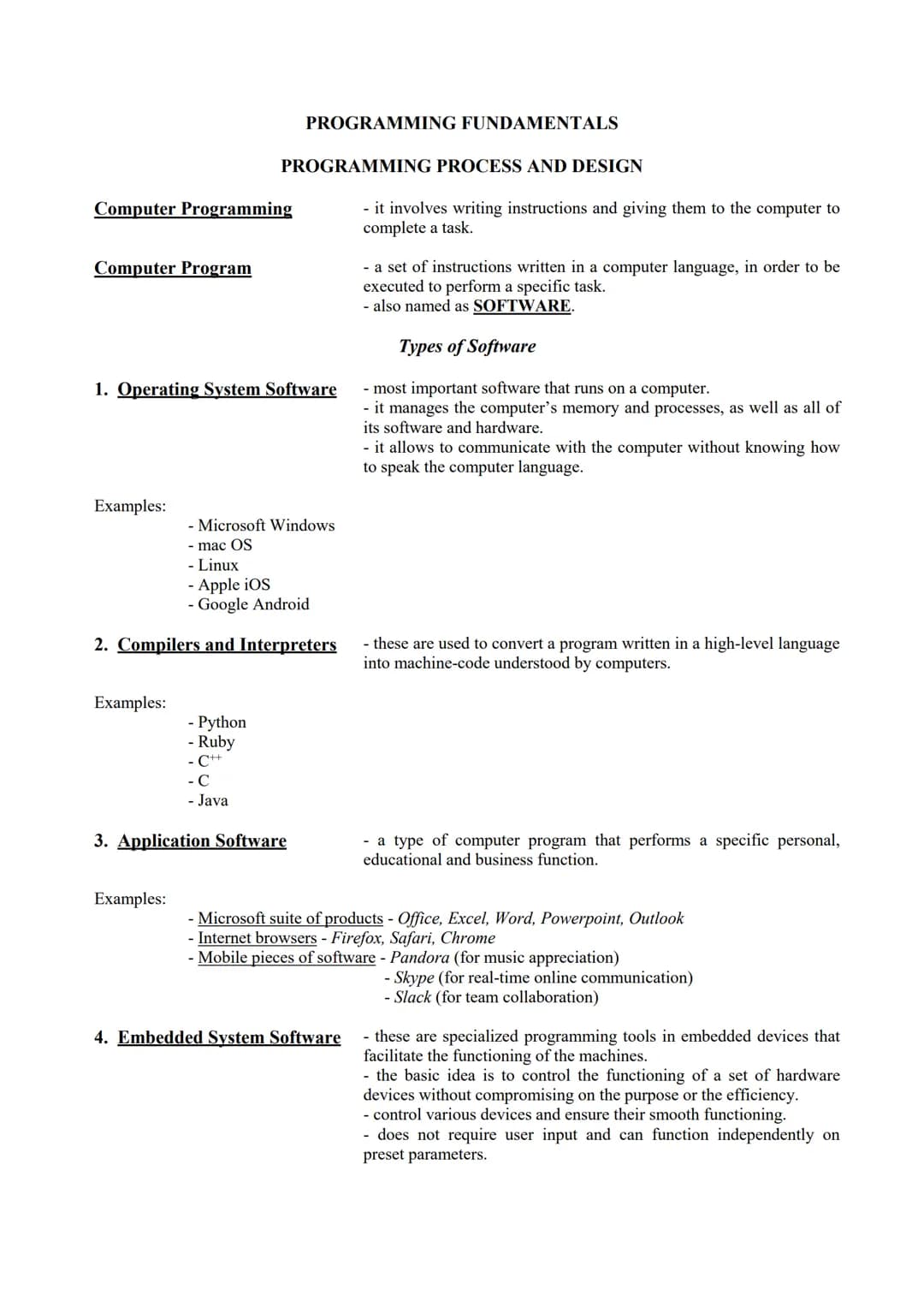
Computer Programming Fundamentals
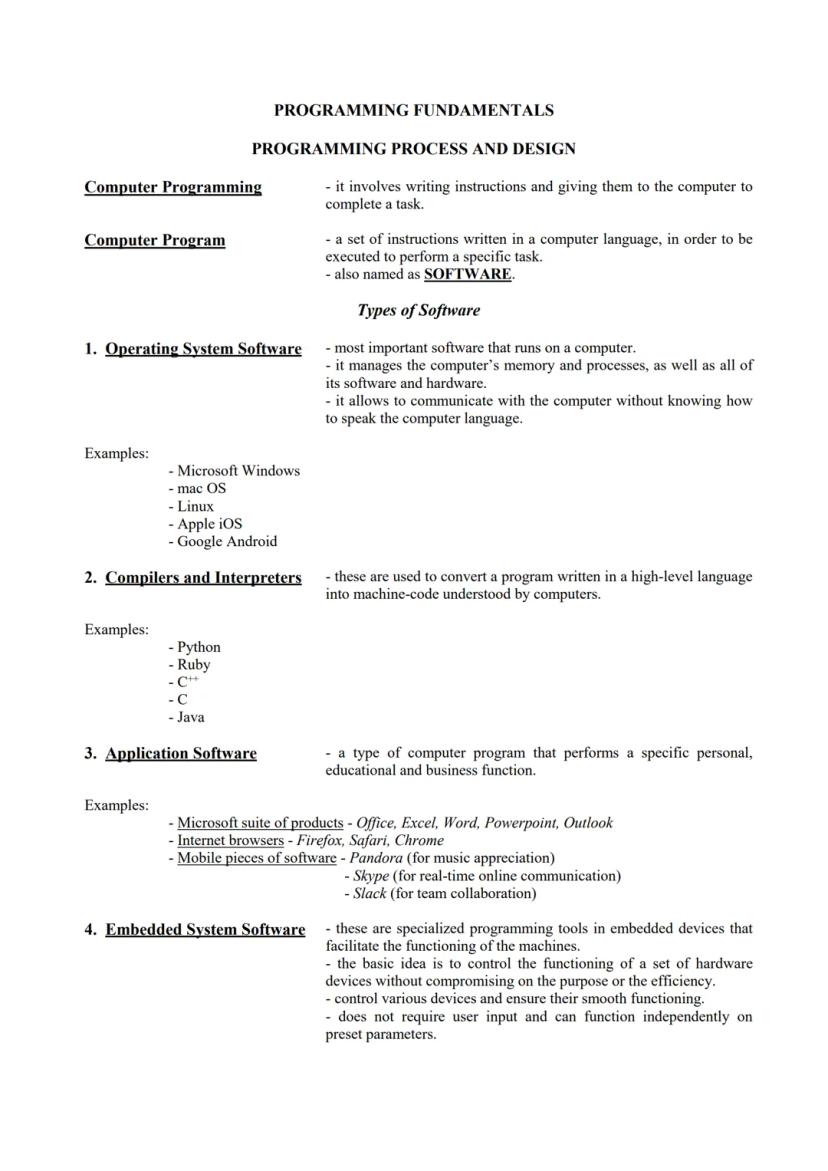
Computer programming involves writing instructions for computers to complete specific tasks. A computer program is a set of instructions written in a computer language to perform a particular job—this is also known as software.
Software comes in several types that serve different purposes. Operating system software like Windows, macOS, or Android manages your computer's hardware and provides a way to interact with the machine. Application software includes programs you use daily—think Microsoft Office, internet browsers like Chrome, or apps like Skype and Pandora.
Behind the scenes, compilers and interpreters convert human-readable code into machine-understandable instructions. Another critical category is embedded system software, which controls specific devices without user input—like anti-lock braking systems in cars or traffic control systems.
💡 Every electronic device you use—from your smartphone to your microwave—runs on some type of software. The difference is in how they're designed and what they're meant to accomplish!
2
of 5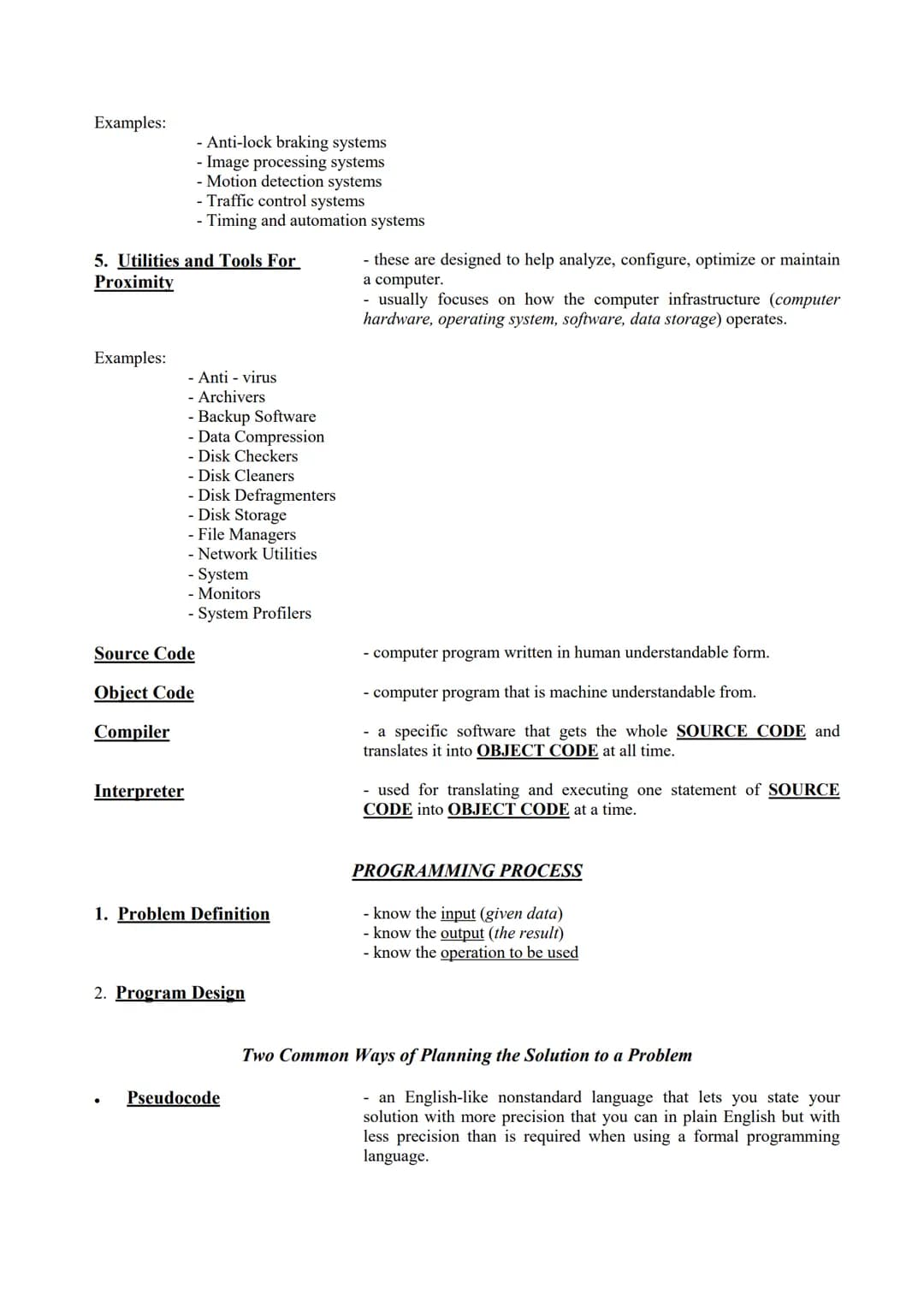
Programming Tools and Process
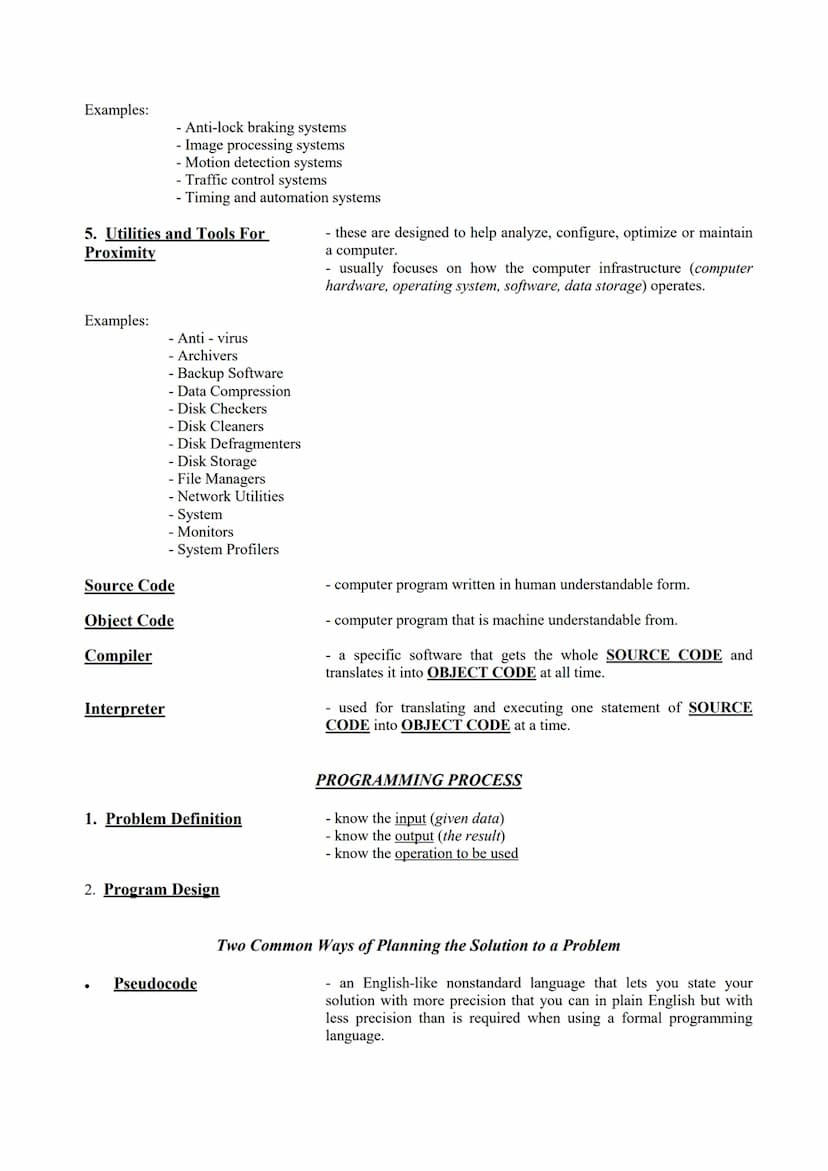
Computers can't directly understand the code we write. Source code (human-readable programming instructions) must be converted to object code (machine-understandable format) using special tools. A compiler translates the entire source code at once, while an interpreter converts and executes the code one statement at a time.
The programming process starts with problem definition—understanding what input you have, what output you need, and what operations will transform one into the other. Next comes program design, where programmers plan their solution before writing any code.
Two common planning tools are pseudocode and flowcharts. Pseudocode is an English-like language that lets you describe your solution more precisely than regular English but less formally than actual code. It's like sketching out your ideas before committing to the final design.
Utility software helps maintain your computer system by analyzing, configuring, and optimizing how it runs. Examples include antivirus programs, backup software, disk cleaners, and network utilities that keep your digital environment running smoothly.
3
of 5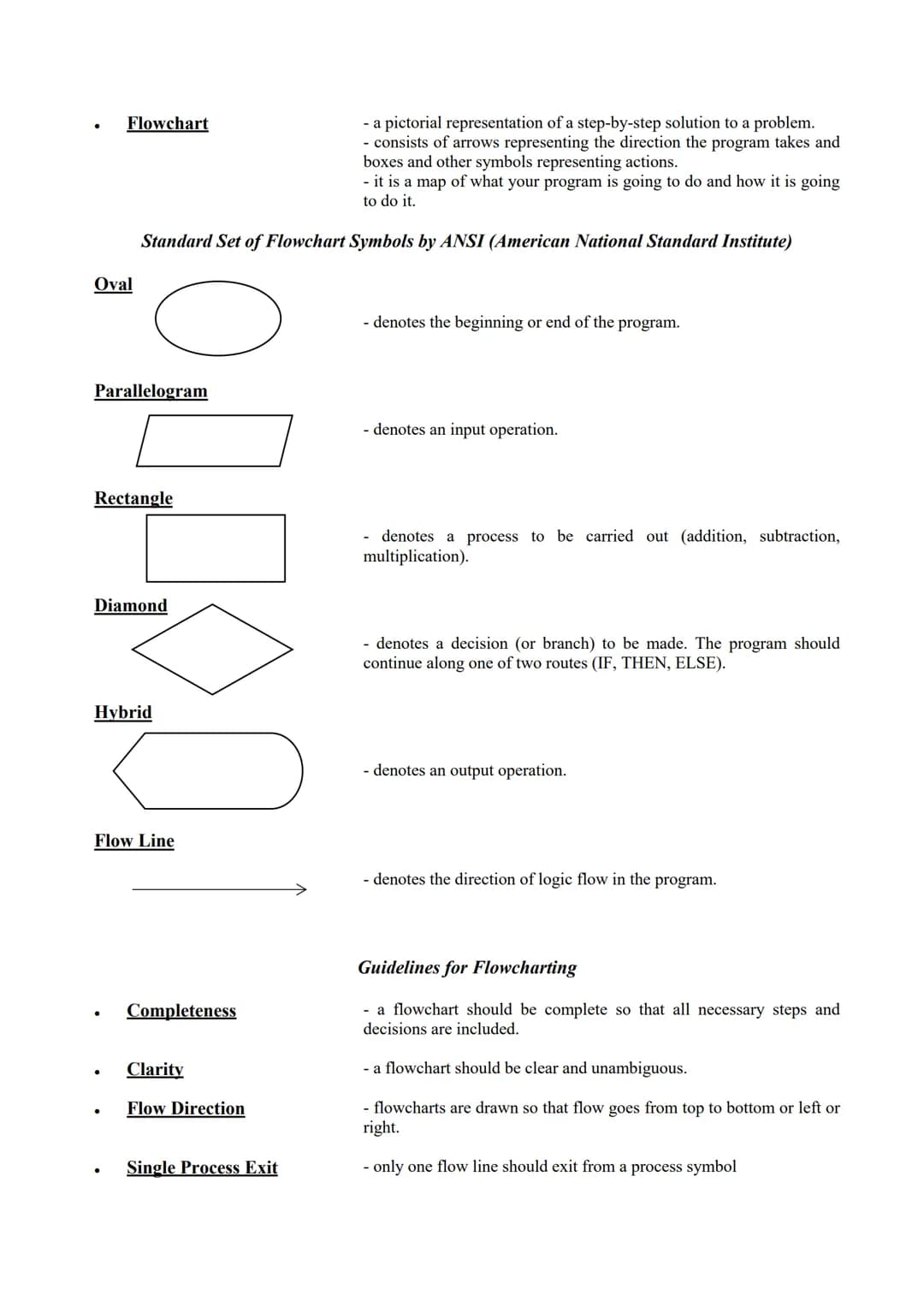
Flowcharts in Programming
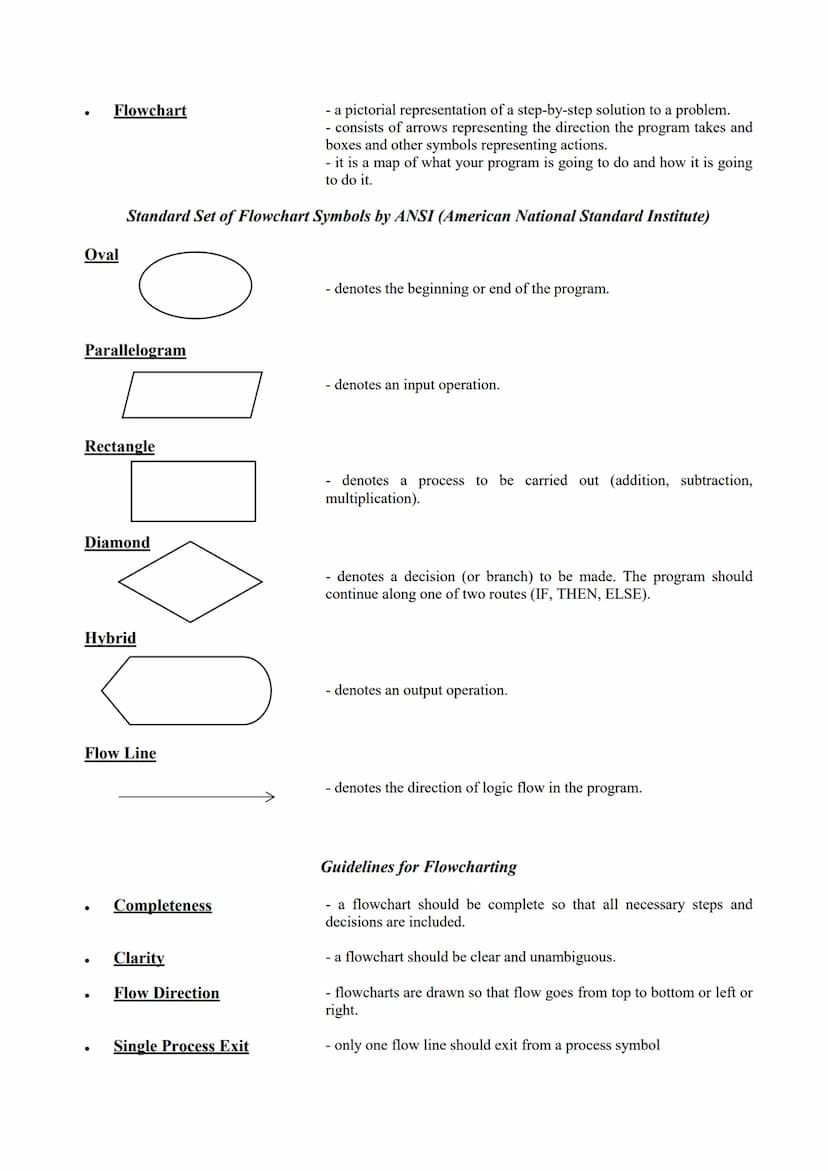
Flowcharts provide a visual representation of your program's logic and steps. They use arrows to show program flow and different shapes to represent specific actions. Think of them as maps that guide your program from start to finish.
The American National Standard Institute (ANSI) defines standard flowchart symbols. Ovals mark the beginning or end of a program. Rectangles indicate processes like calculations. Diamonds represent decision points where the program chooses between different paths. Parallelograms show input operations, while hexagons display output.
Good flowcharts follow several important guidelines. They should be complete, including all necessary steps and decisions. They need clarity to avoid confusion about what happens at each step. The flow direction typically moves from top to bottom or left to right for easy reading.
⚠️ A poorly designed flowchart can lead to programming errors! Always ensure your flowchart has a single start point, clear decision paths, and proper flow that accounts for all possible scenarios.
4
of 5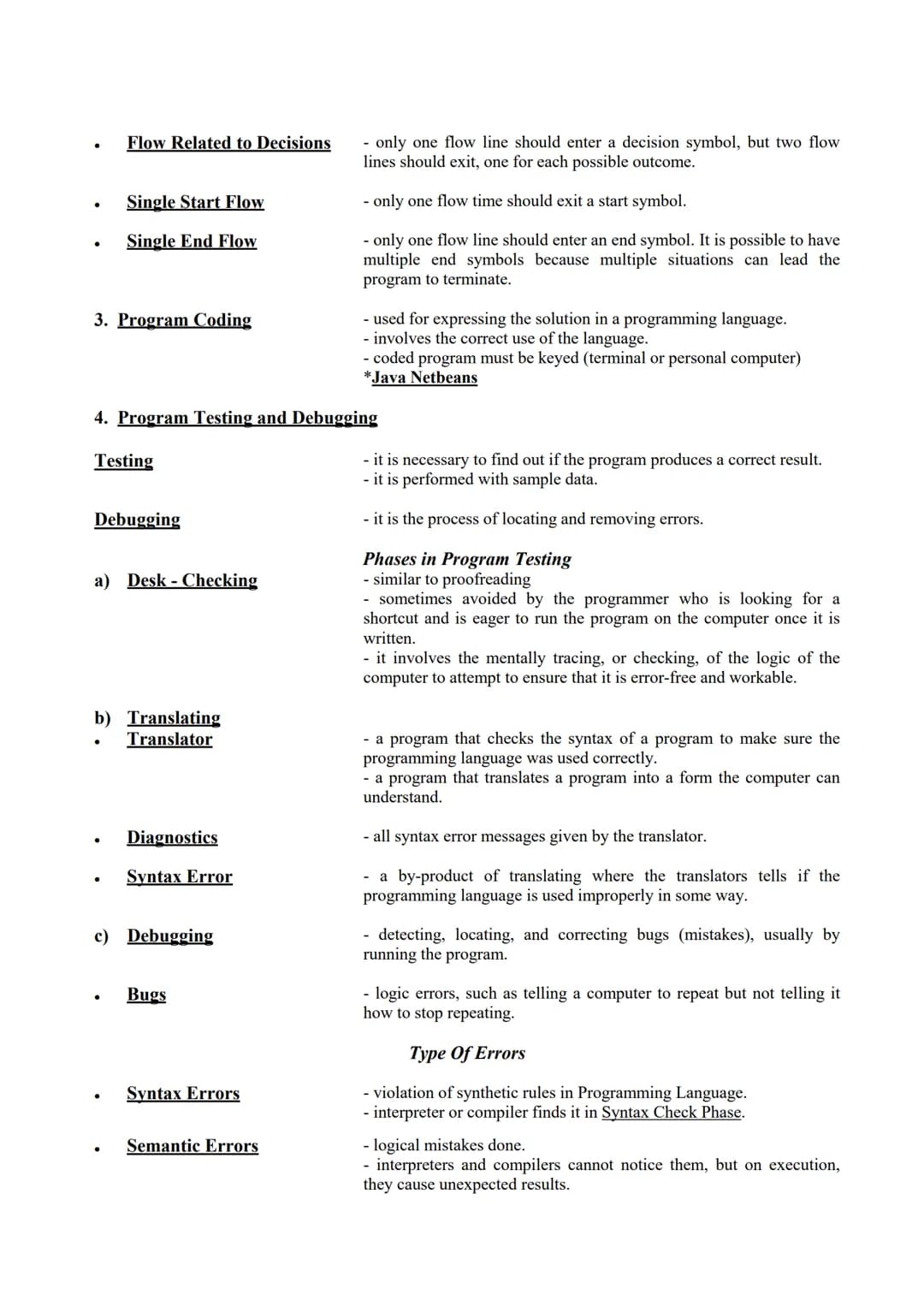
Program Coding, Testing and Debugging
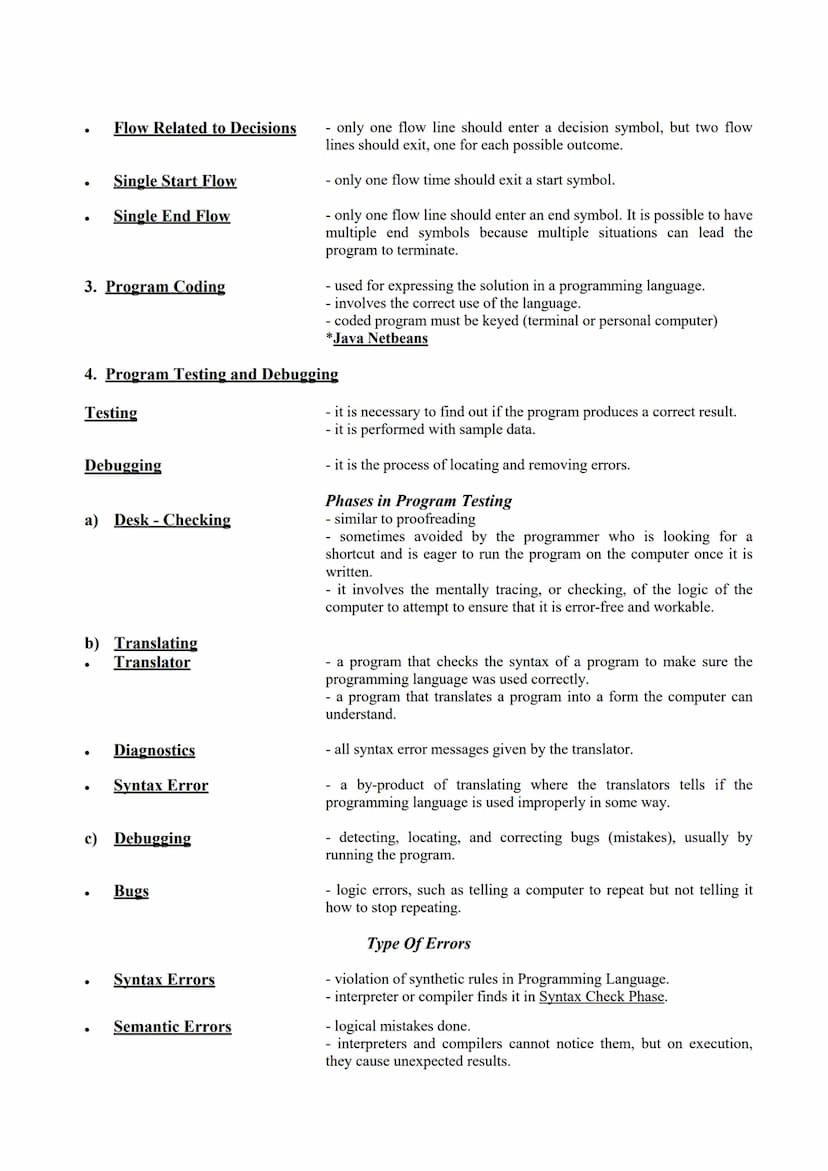
Once you've planned your program, it's time for program coding—expressing your solution in a programming language. This requires correctly using the language syntax and keying the code into a development environment like Java NetBeans.
After writing your code, program testing helps you verify it produces correct results. This involves running the program with sample data to check its functionality. Debugging is the process of finding and removing errors when things don't work as expected.
Program testing happens in phases. First, desk-checking involves mentally tracing through your code to spot logic errors. Next, translating runs your code through a translator program that checks for syntax errors (improper use of programming language). Finally, debugging addresses any remaining issues.
Programs can have three types of errors: Syntax errors violate programming language rules and are caught during compilation. Semantic errors are logical mistakes that cause unexpected results but might not stop the program. Run-time errors occur during execution and can crash your program, often caused by invalid data or missing resources.
5
of 5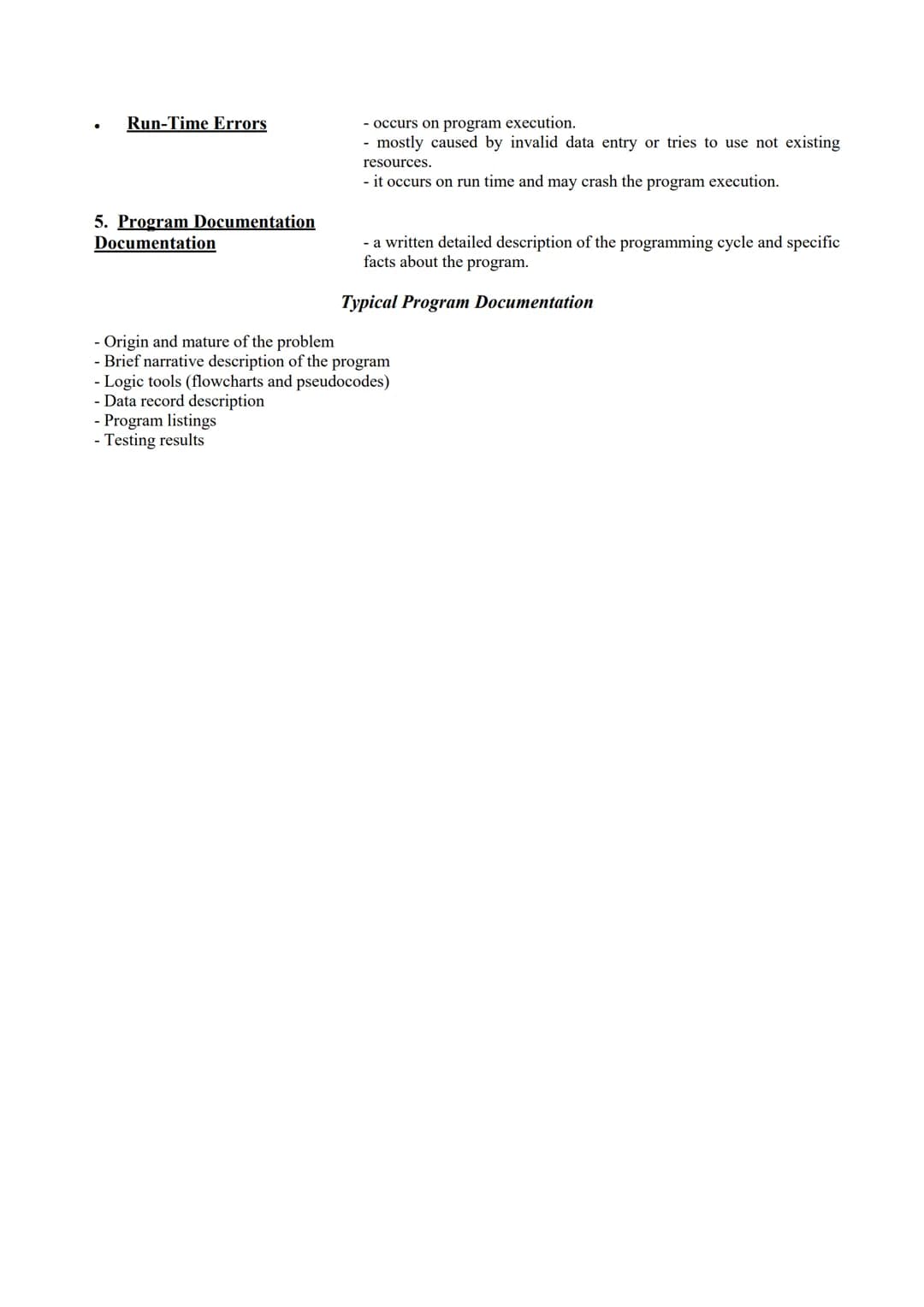
Program Documentation
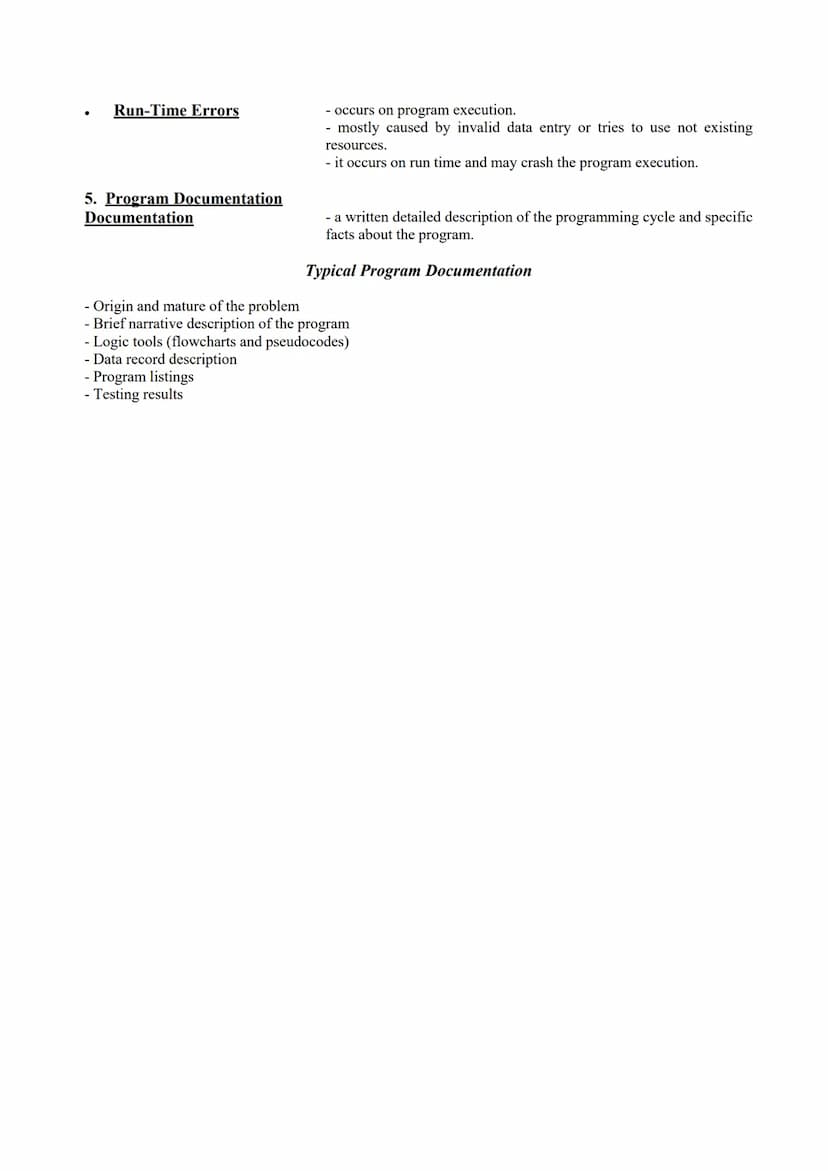
Program documentation is a detailed written description of your programming work. It's like creating a manual that explains how your program works, why you made certain decisions, and how to use it properly.
Good documentation covers the origin and nature of the problem you're solving and includes a brief description of what the program does. It should contain your planning tools like flowcharts and pseudocode, along with descriptions of data records the program uses.
Documentation also includes program listings (the actual code) and testing results that show how the program performed. This documentation is invaluable not only for others who might use or modify your program but also for yourself when you revisit the code later.
🌟 Think of documentation as leaving a roadmap for future programmers (including your future self)! Clear documentation can save hours of confusion when someone needs to understand or modify your code.
We thought you’d never ask...
Our AI companion is specifically built for the needs of students. Based on the millions of content pieces we have on the platform we can provide truly meaningful and relevant answers to students. But its not only about answers, the companion is even more about guiding students through their daily learning challenges, with personalised study plans, quizzes or content pieces in the chat and 100% personalisation based on the students skills and developments.
You can download the app in the Google Play Store and in the Apple App Store.
That's right! Enjoy free access to study content, connect with fellow students, and get instant help – all at your fingertips.
Similar Content
Most popular content: Key Concepts
3 Science (ACT®)
Balanced And Unbalanced Forces
Balanced forces do not cause any change in the state of motion of a body. Unbalanced forces accelerate the body.
470
Science (ACT®)Conduction,Convection, and radiation
Conduction, Convection, and radiation
College471
Science (ACT®)Electromagnetic spectrum
Electromagnetic spectrum
College952
Most popular content in Fun Stuff
9S
Fun StuffSuper Easy Quiz (+)
Are you smarter than a 3rd grader in math? Let’s see.
6th2230
Fun StuffDMV Practice Test 1
First set of Questions from DMV Handbook
1,179130
Fun StuffAnatomy and Physiology Chapter 1
Chpater 1 : The orientation of the body / College Level Anatomy and Physiology
86538
Fun StuffUnit 2 Lesson 2: Alphabet of Lines
An overview of the different types of lines used in drafting
442
Fun StuffSchool Law
Notes on school law chapter 8 intro to education
10th511
Fun Stuff🌈 LGBTQ+ Pride Flags: Context & Symbolism
Use this Know as a quick reference to identify all of the different Pride flags and learn about their context & symbolism
9th36717
Fun StuffALL ABOUT PHILOSOPHY
This document tackles my impression towards "pilosopo" people, what does it mean to love wisdom, implication of face value, and the significance of impartiality.
652
Fun StuffIntro to Python Pt 1
This is a summary of the basics of python such as variables, print, and if statements.
10th2715
Fun StuffPractice: Languages of Common Signs
Practice quiz on languages of common (road) signs
10th945
Most popular content
9O
 AP US History
Origins and Dynamics of the Columbian Exchange
Analyze the ecological and economic motivations behind the initial transfer of goods, people, and diseases between the Old and New Worlds.
9th3,1280
I
AP US HistoryIntroduction to Early Cultural Interactions
Analyze the initial social and religious encounters between Europeans, Africans, and Indigenous peoples in the colonial Americas.
9th2,7730
O
 AP World History
Origins of Ancient River Civilizations
Analyze the environmental factors and technological innovations that led to the rise of early states in Mesopotamia, Egypt, and the Indus Valley.
9th3,1870
M
AP US HistoryMotivations for European Exploration
Analyze the economic, religious, and political factors that drove European powers to the Americas during the 15th and 16th centuries.
9th1,7780
F
 AP Psychology
Foundations of Ethical Guidelines in Research
Practice the core principles of the APA ethical code including informed consent, debriefing, and the role of Institutional Review Boards.
9th1,3360
I
AP US HistoryIntroduction to Native American Societies
Examine the diverse social, political, and economic structures of North American indigenous groups prior to European contact.
9th1,1100
I
AP US HistoryIntroduction to the Spanish Encomienda System
Explore the fundamental economic and social structures of the Spanish colonial system, focusing on the encomienda and the casta social hierarchy.
9th8890
I
AP BiologyIntroduction to Biological Elements of Life
Practice identifying the essential elements including carbon, nitrogen, phosphorus, and sulfur that compose biological macromolecules.
9th1,7410
O
AP US Government & PoliticsOrigins of the Articles of Confederation
Practice identifying the motivations for a weak central government and the specific powers granted to the states under the first U.S. constitution.
9th9370
Students love us — and so will you.
4.6/5App Store
4.7/5Google Play
The app is very easy to use and well designed. I have found everything I was looking for so far and have been able to learn a lot from the presentations! I will definitely use the app for a class assignment! And of course it also helps a lot as an inspiration.
Stefan SiOS user
This app is really great. There are so many study notes and help [...]. My problem subject is French, for example, and the app has so many options for help. Thanks to this app, I have improved my French. I would recommend it to anyone.
Samantha KlichAndroid user
Wow, I am really amazed. I just tried the app because I've seen it advertised many times and was absolutely stunned. This app is THE HELP you want for school and above all, it offers so many things, such as workouts and fact sheets, which have been VERY helpful to me personally.
AnnaiOS user
Fun Stuff145 views·Updated Jul 4, 2026·5 pagesIntroduction to Programming and Design Concepts
Zyx Tempest@zyxtempest_cusk
Computer programming is all about creating instructions for computers to perform specific tasks. These instructions, written in programming languages, form computer programs that run on various devices. Understanding the programming process and design principles is essential for creating effective, error-free...
1
of 5
Sign up to see the content. It's free!
- Access to all documents
- Improve your grades
- Join milions of students
Computer Programming Fundamentals
Computer programming involves writing instructions for computers to complete specific tasks. A computer program is a set of instructions written in a computer language to perform a particular job—this is also known as software.
Software comes in several types that serve different purposes. Operating system software like Windows, macOS, or Android manages your computer's hardware and provides a way to interact with the machine. Application software includes programs you use daily—think Microsoft Office, internet browsers like Chrome, or apps like Skype and Pandora.
Behind the scenes, compilers and interpreters convert human-readable code into machine-understandable instructions. Another critical category is embedded system software, which controls specific devices without user input—like anti-lock braking systems in cars or traffic control systems.
💡 Every electronic device you use—from your smartphone to your microwave—runs on some type of software. The difference is in how they're designed and what they're meant to accomplish!
2
of 5Sign up to see the content. It's free!
- Access to all documents
- Improve your grades
- Join milions of students
Programming Tools and Process
Computers can't directly understand the code we write. Source code (human-readable programming instructions) must be converted to object code (machine-understandable format) using special tools. A compiler translates the entire source code at once, while an interpreter converts and executes the code one statement at a time.
The programming process starts with problem definition—understanding what input you have, what output you need, and what operations will transform one into the other. Next comes program design, where programmers plan their solution before writing any code.
Two common planning tools are pseudocode and flowcharts. Pseudocode is an English-like language that lets you describe your solution more precisely than regular English but less formally than actual code. It's like sketching out your ideas before committing to the final design.
Utility software helps maintain your computer system by analyzing, configuring, and optimizing how it runs. Examples include antivirus programs, backup software, disk cleaners, and network utilities that keep your digital environment running smoothly.
3
of 5Sign up to see the content. It's free!
- Access to all documents
- Improve your grades
- Join milions of students
Flowcharts in Programming
Flowcharts provide a visual representation of your program's logic and steps. They use arrows to show program flow and different shapes to represent specific actions. Think of them as maps that guide your program from start to finish.
The American National Standard Institute (ANSI) defines standard flowchart symbols. Ovals mark the beginning or end of a program. Rectangles indicate processes like calculations. Diamonds represent decision points where the program chooses between different paths. Parallelograms show input operations, while hexagons display output.
Good flowcharts follow several important guidelines. They should be complete, including all necessary steps and decisions. They need clarity to avoid confusion about what happens at each step. The flow direction typically moves from top to bottom or left to right for easy reading.
⚠️ A poorly designed flowchart can lead to programming errors! Always ensure your flowchart has a single start point, clear decision paths, and proper flow that accounts for all possible scenarios.
4
of 5Sign up to see the content. It's free!
- Access to all documents
- Improve your grades
- Join milions of students
Program Coding, Testing and Debugging
Once you've planned your program, it's time for program coding—expressing your solution in a programming language. This requires correctly using the language syntax and keying the code into a development environment like Java NetBeans.
After writing your code, program testing helps you verify it produces correct results. This involves running the program with sample data to check its functionality. Debugging is the process of finding and removing errors when things don't work as expected.
Program testing happens in phases. First, desk-checking involves mentally tracing through your code to spot logic errors. Next, translating runs your code through a translator program that checks for syntax errors (improper use of programming language). Finally, debugging addresses any remaining issues.
Programs can have three types of errors: Syntax errors violate programming language rules and are caught during compilation. Semantic errors are logical mistakes that cause unexpected results but might not stop the program. Run-time errors occur during execution and can crash your program, often caused by invalid data or missing resources.
5
of 5Sign up to see the content. It's free!
- Access to all documents
- Improve your grades
- Join milions of students
Program Documentation
Program documentation is a detailed written description of your programming work. It's like creating a manual that explains how your program works, why you made certain decisions, and how to use it properly.
Good documentation covers the origin and nature of the problem you're solving and includes a brief description of what the program does. It should contain your planning tools like flowcharts and pseudocode, along with descriptions of data records the program uses.
Documentation also includes program listings (the actual code) and testing results that show how the program performed. This documentation is invaluable not only for others who might use or modify your program but also for yourself when you revisit the code later.
🌟 Think of documentation as leaving a roadmap for future programmers (including your future self)! Clear documentation can save hours of confusion when someone needs to understand or modify your code.
We thought you’d never ask...
Our AI companion is specifically built for the needs of students. Based on the millions of content pieces we have on the platform we can provide truly meaningful and relevant answers to students. But its not only about answers, the companion is even more about guiding students through their daily learning challenges, with personalised study plans, quizzes or content pieces in the chat and 100% personalisation based on the students skills and developments.
You can download the app in the Google Play Store and in the Apple App Store.
That's right! Enjoy free access to study content, connect with fellow students, and get instant help – all at your fingertips.
Similar Content
Most popular content: Key Concepts
3Science (ACT®)Balanced And Unbalanced Forces
Balanced forces do not cause any change in the state of motion of a body. Unbalanced forces accelerate the body.
470
Science (ACT®)Conduction,Convection, and radiation
Conduction, Convection, and radiation
College471
Science (ACT®)Electromagnetic spectrum
Electromagnetic spectrum
College952
Most popular content in Fun Stuff
9S
Fun StuffSuper Easy Quiz (+)
Are you smarter than a 3rd grader in math? Let’s see.
6th2230
Fun StuffDMV Practice Test 1
First set of Questions from DMV Handbook
1,179130
Fun StuffAnatomy and Physiology Chapter 1
Chpater 1 : The orientation of the body / College Level Anatomy and Physiology
86538
Fun StuffUnit 2 Lesson 2: Alphabet of Lines
An overview of the different types of lines used in drafting
442
Fun StuffSchool Law
Notes on school law chapter 8 intro to education
10th511
Fun Stuff🌈 LGBTQ+ Pride Flags: Context & Symbolism
Use this Know as a quick reference to identify all of the different Pride flags and learn about their context & symbolism
9th36717
Fun StuffALL ABOUT PHILOSOPHY
This document tackles my impression towards "pilosopo" people, what does it mean to love wisdom, implication of face value, and the significance of impartiality.
652
Fun StuffIntro to Python Pt 1
This is a summary of the basics of python such as variables, print, and if statements.
10th2715
Fun StuffPractice: Languages of Common Signs
Practice quiz on languages of common (road) signs
10th945
Most popular content
9O
AP US HistoryOrigins and Dynamics of the Columbian Exchange
Analyze the ecological and economic motivations behind the initial transfer of goods, people, and diseases between the Old and New Worlds.
9th3,1280
I
AP US HistoryIntroduction to Early Cultural Interactions
Analyze the initial social and religious encounters between Europeans, Africans, and Indigenous peoples in the colonial Americas.
9th2,7730
O
AP World HistoryOrigins of Ancient River Civilizations
Analyze the environmental factors and technological innovations that led to the rise of early states in Mesopotamia, Egypt, and the Indus Valley.
9th3,1870
M
AP US HistoryMotivations for European Exploration
Analyze the economic, religious, and political factors that drove European powers to the Americas during the 15th and 16th centuries.
9th1,7780
F
AP PsychologyFoundations of Ethical Guidelines in Research
Practice the core principles of the APA ethical code including informed consent, debriefing, and the role of Institutional Review Boards.
9th1,3360
I
AP US HistoryIntroduction to Native American Societies
Examine the diverse social, political, and economic structures of North American indigenous groups prior to European contact.
9th1,1100
I
AP US HistoryIntroduction to the Spanish Encomienda System
Explore the fundamental economic and social structures of the Spanish colonial system, focusing on the encomienda and the casta social hierarchy.
9th8890
I
AP BiologyIntroduction to Biological Elements of Life
Practice identifying the essential elements including carbon, nitrogen, phosphorus, and sulfur that compose biological macromolecules.
9th1,7410
O
AP US Government & PoliticsOrigins of the Articles of Confederation
Practice identifying the motivations for a weak central government and the specific powers granted to the states under the first U.S. constitution.
9th9370
Students love us — and so will you.
4.6/5App Store
4.7/5Google Play
The app is very easy to use and well designed. I have found everything I was looking for so far and have been able to learn a lot from the presentations! I will definitely use the app for a class assignment! And of course it also helps a lot as an inspiration.
Stefan SiOS user
This app is really great. There are so many study notes and help [...]. My problem subject is French, for example, and the app has so many options for help. Thanks to this app, I have improved my French. I would recommend it to anyone.
Samantha KlichAndroid user
Wow, I am really amazed. I just tried the app because I've seen it advertised many times and was absolutely stunned. This app is THE HELP you want for school and above all, it offers so many things, such as workouts and fact sheets, which have been VERY helpful to me personally.
AnnaiOS user