

Ecosystems are where living and non-living things interact and exchange... Show more
 Biology
 Health & Medicine
 Algebra
Sign up to see the contentIt's free!
Access to all documents
Improve your grades
Join milions of students
Knowunity AI
Subjects
Triangle Congruence and Similarity Theorems
Triangle Properties and Classification
Linear Equations and Graphs
Geometric Angle Relationships
Trigonometric Functions and Identities
Equation Solving Techniques
Circle Geometry Fundamentals
Division Operations and Methods
Basic Differentiation Rules
Exponent and Logarithm Properties
Show all topics
Human Organ Systems
Reproductive Cell Cycles
Biological Sciences Subdisciplines
Cellular Energy Metabolism
Autotrophic Energy Processes
Inheritance Patterns and Principles
Biomolecular Structure and Organization
Cell Cycle and Division Mechanics
Cellular Organization and Development
Biological Structural Organization
Show all topics
Chemical Sciences and Applications
Atomic Structure and Composition
Molecular Electron Structure Representation
Atomic Electron Behavior
Matter Properties and Water
Mole Concept and Calculations
Gas Laws and Behavior
Periodic Table Organization
Chemical Thermodynamics Fundamentals
Chemical Bond Types and Properties
Show all topics
European Renaissance and Enlightenment
European Cultural Movements 800-1920
American Revolution Era 1763-1797
American Civil War 1861-1865
Global Imperial Systems
Mongol and Chinese Dynasties
U.S. Presidents and World Leaders
Historical Sources and Documentation
World Wars Era and Impact
World Religious Systems
Show all topics
Classic and Contemporary Novels
Literary Character Analysis
Rhetorical Theory and Practice
Classic Literary Narratives
Reading Analysis and Interpretation
Narrative Structure and Techniques
English Language Components
Influential English-Language Authors
Basic Sentence Structure
Narrative Voice and Perspective
Show all topics
50
•
Updated Mar 1, 2026
•
Ecosystems are where living and non-living things interact and exchange... Show more
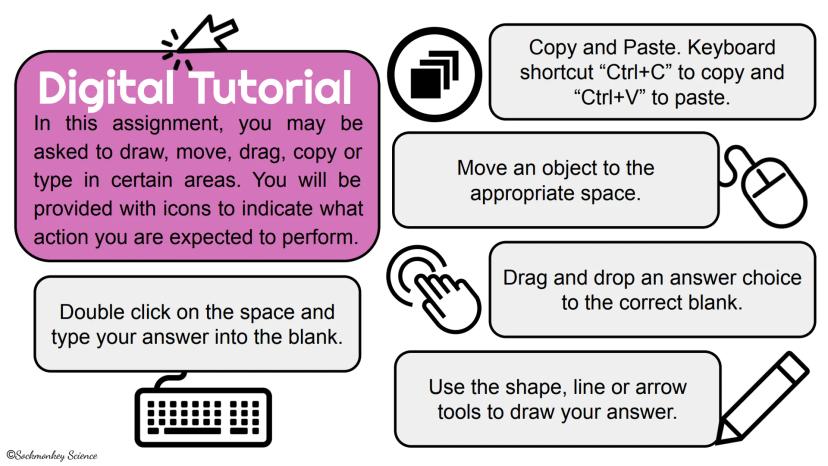
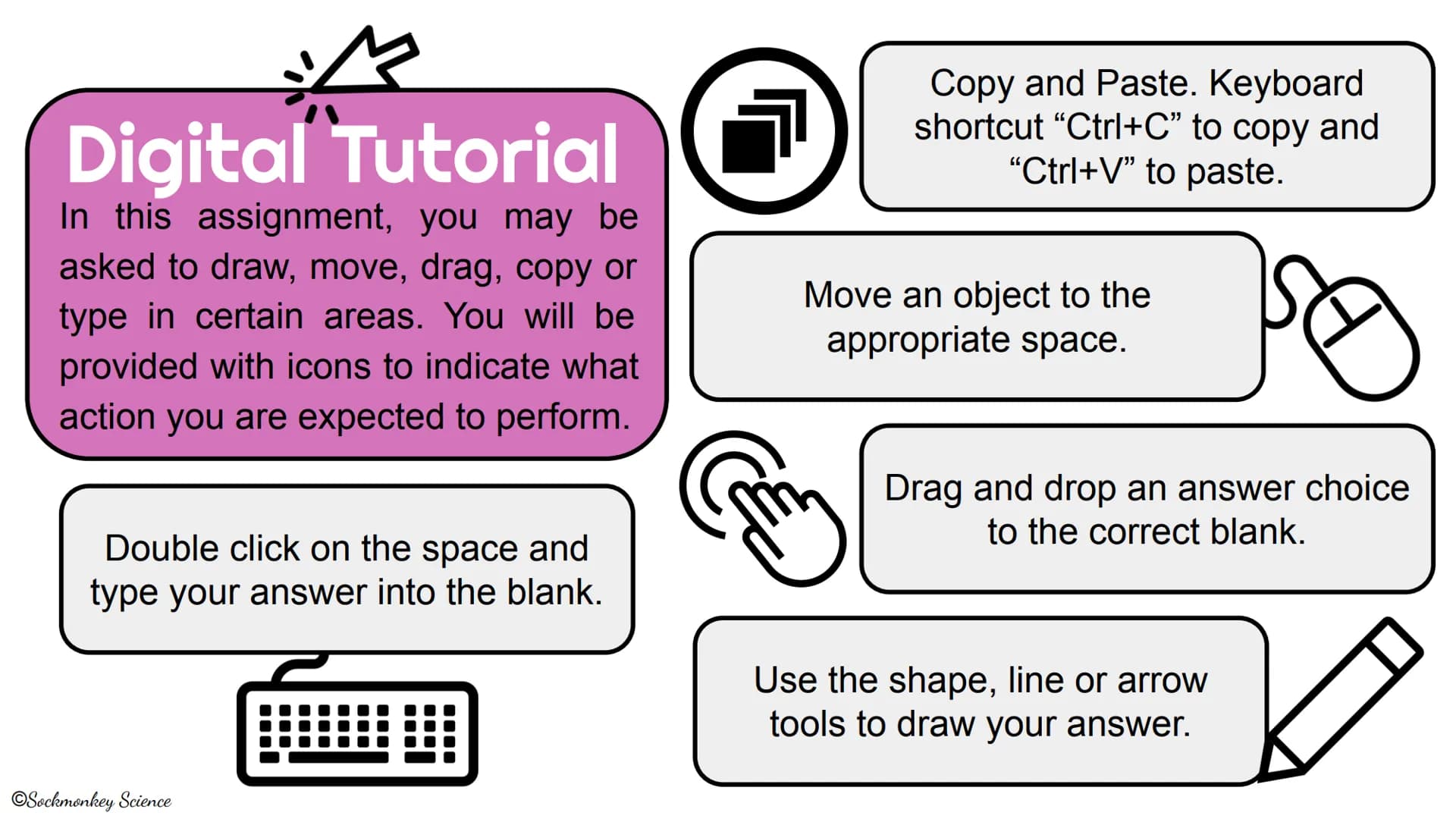
When completing this digital assignment, look for these icons that tell you what to do:
Pro Tip: Familiarize yourself with these icons before starting so you can work through the assignment smoothly!
These instructions will help you navigate through the ecosystem activities that follow.
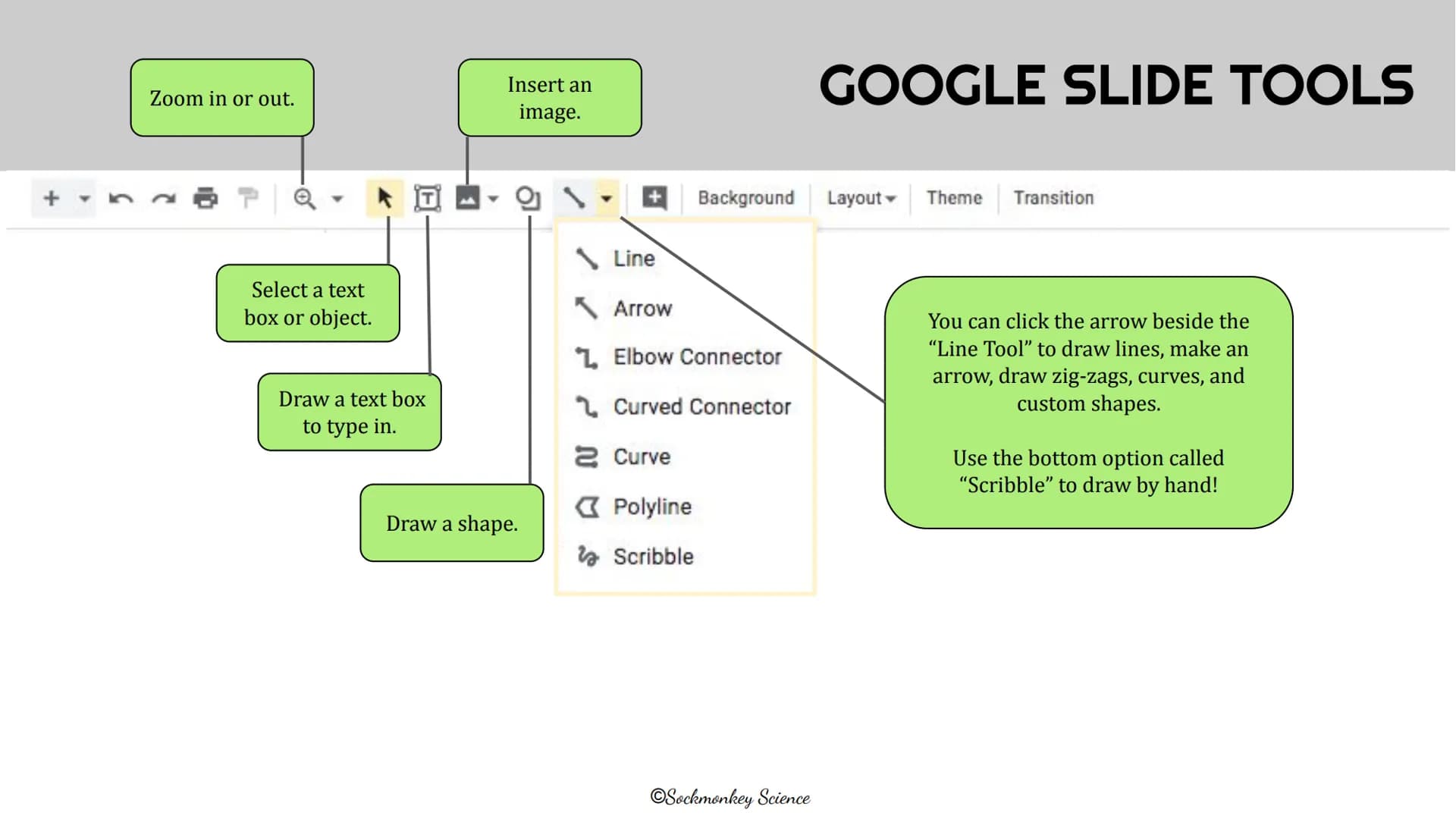
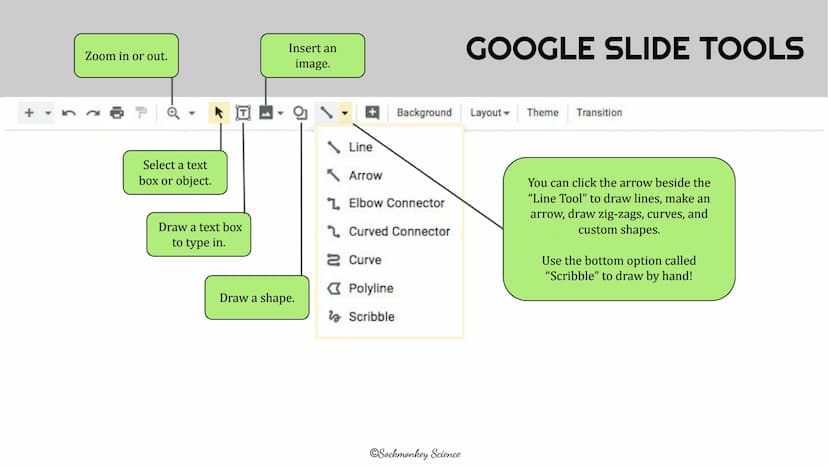
Google Slides has many helpful tools for your ecosystem assignment:
The basic tools let you zoom in/out, insert images, change backgrounds, and select objects. For text, simply click the text box tool to start typing.
The shape tools are super useful for diagrams! You can draw regular shapes, lines, arrows, and connectors by clicking the arrow next to the Line Tool.
Scribble (the bottom option) lets you draw freehand—perfect for creating custom ecosystem illustrations or highlighting relationships between organisms.
Did you know? The curved and elbow connectors are great for creating food web diagrams that show energy flow in ecosystems!
This assignment explores how ecosystems are structured and organized. You'll learn about the different levels that make up ecosystems, from individual organisms to entire communities.
Understanding these levels helps scientists study how living things interact with each other and their environment. Get ready to explore ecosystems from the ground up!
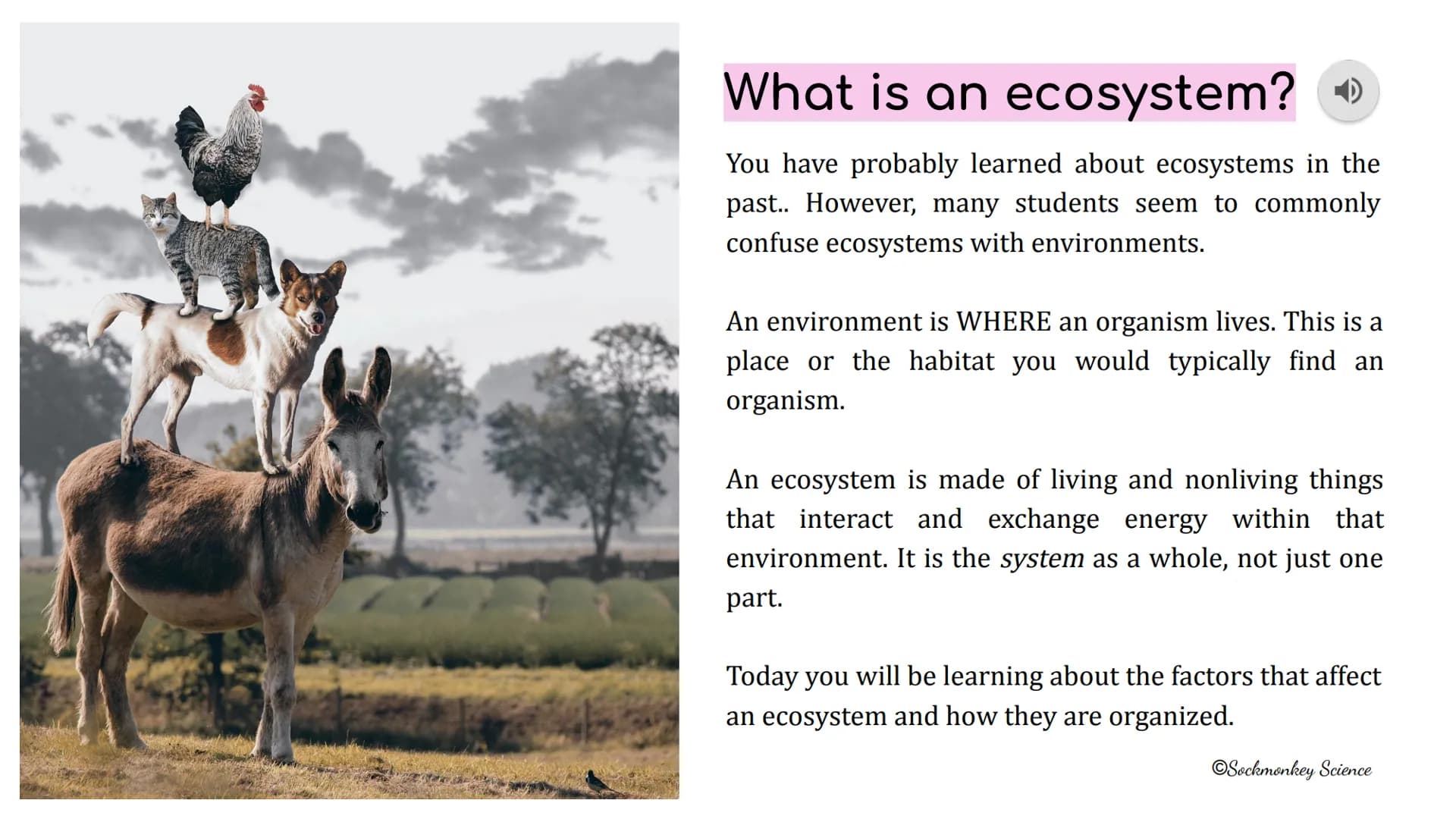
Have you ever mixed up ecosystems and environments? Many students do! Let's clear this up.
An environment is simply WHERE an organism lives—it's the physical place or habitat. Think of it as the address or location.
An ecosystem is much more—it's the complete system of living and nonliving things that interact and exchange energy in that environment. It's like a neighborhood where everyone and everything depends on each other.
Think about it: Your school is an environment, but when you include all the people, plants, animals, and their interactions with things like water, air, and sunlight—that's the ecosystem!
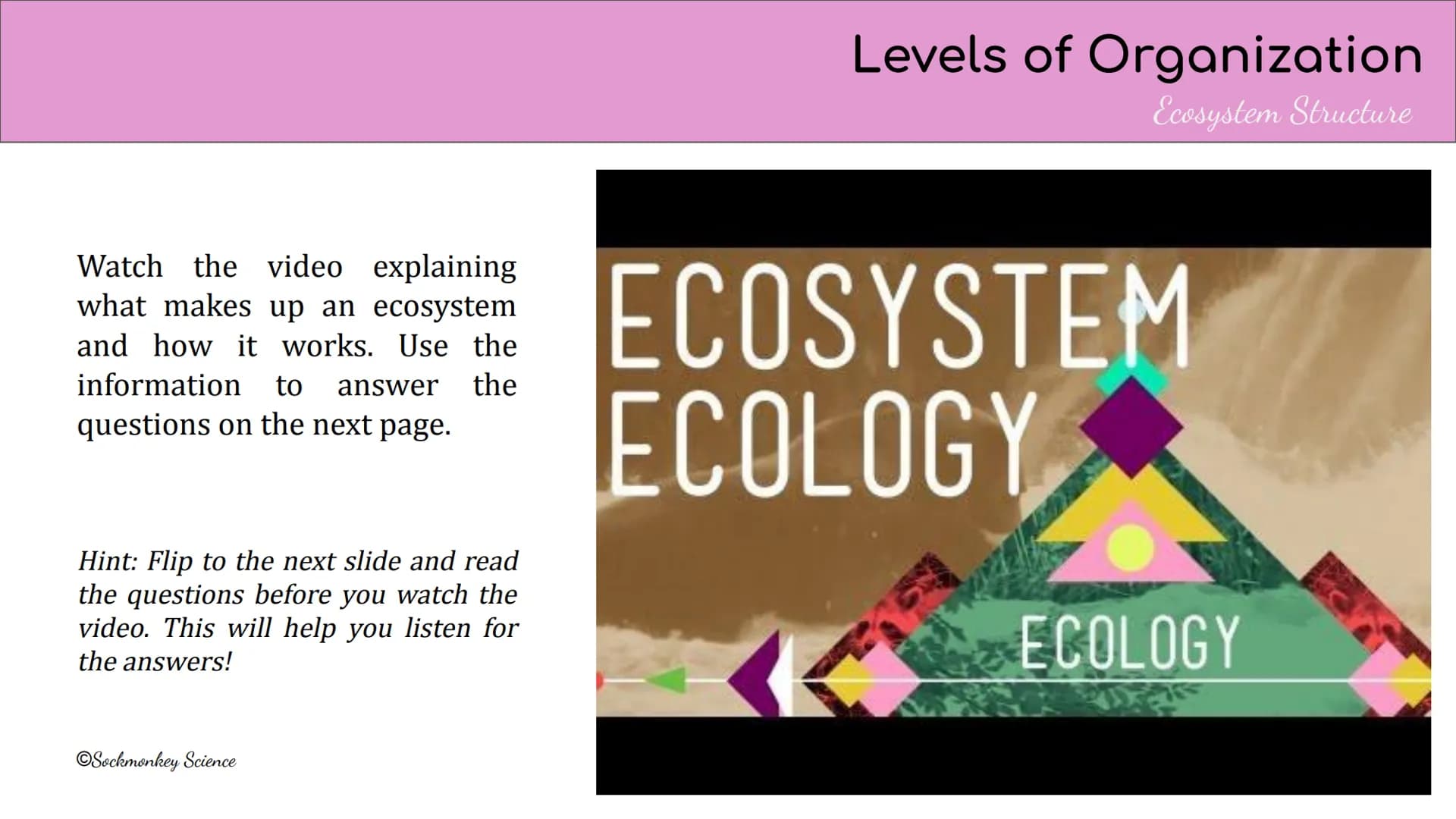
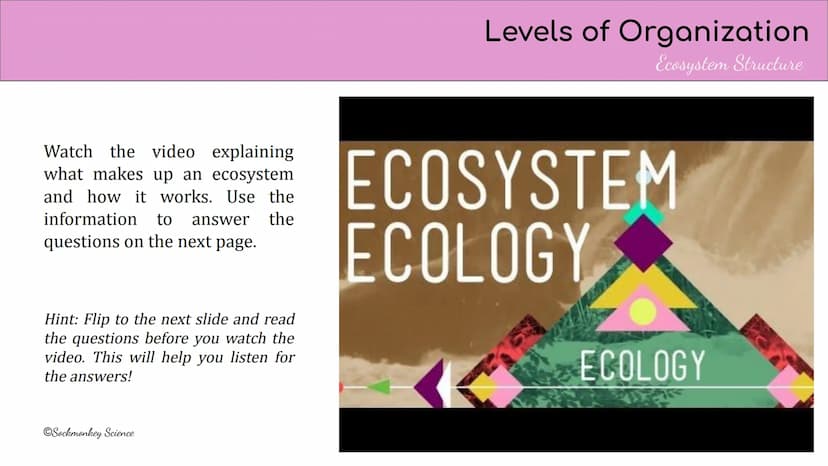
Now it's time to watch a video about ecosystem structure and how ecosystems work. This video will explain the key components and relationships in ecosystems.
Before clicking play, take a quick peek at the questions on the next slide. Knowing what to listen for will help you catch the important details the first time around!
Smart Strategy: You might need to watch the video twice to catch all the answers—this is normal! Pause when you need to take notes.
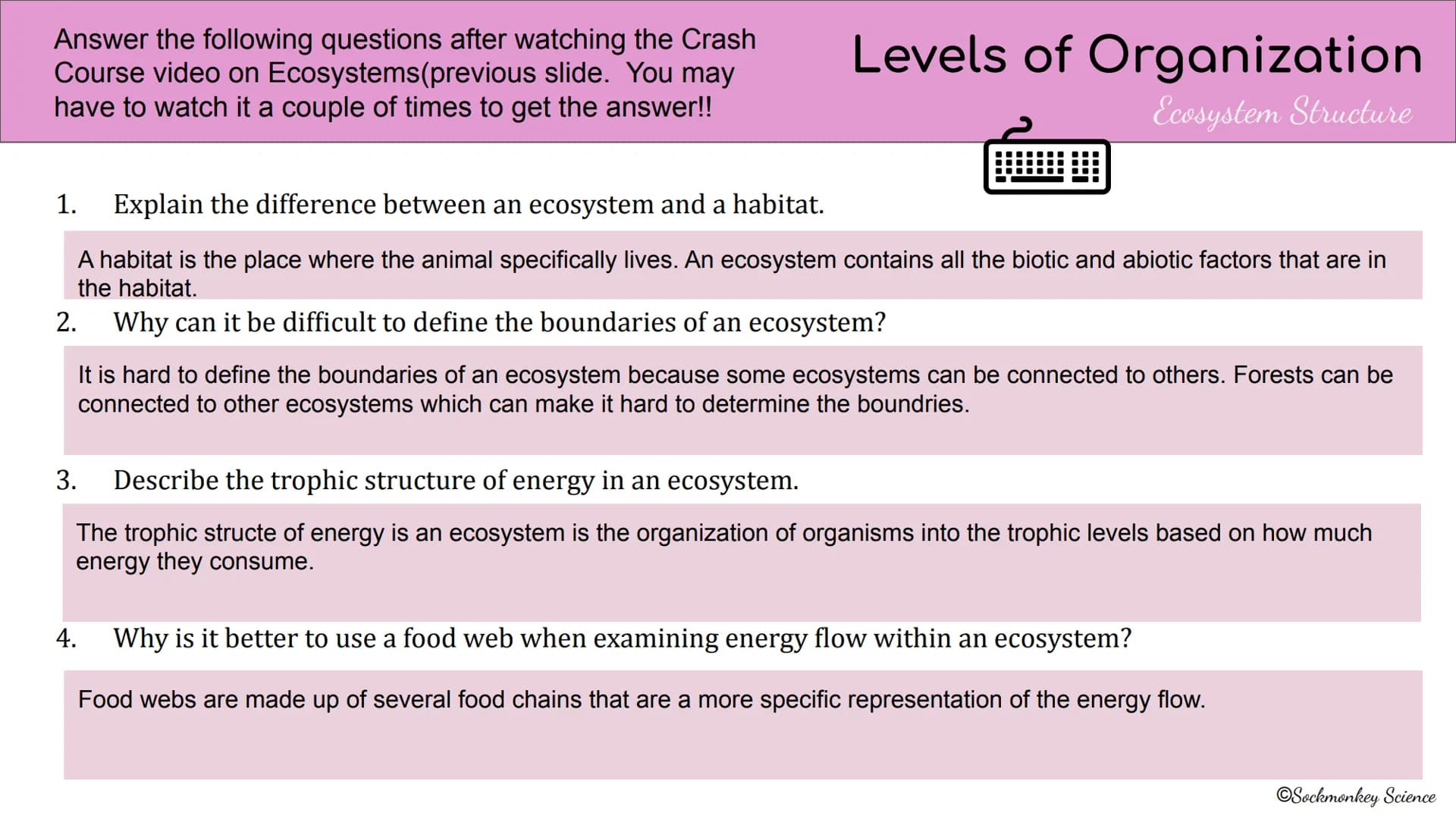
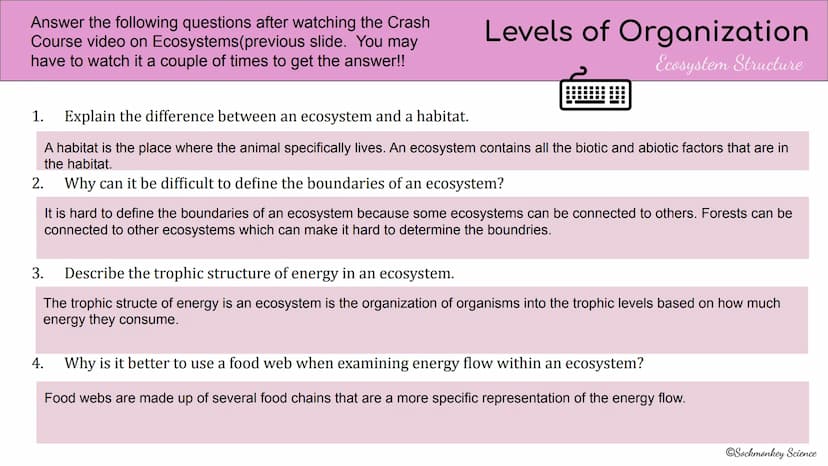
After watching the ecosystem video, you should be able to answer these key questions:
The difference between ecosystems and habitats: A habitat is just where an animal lives, while an ecosystem includes all living (biotic) and non-living (abiotic) factors in that habitat.
Ecosystem boundaries can be tricky to define because ecosystems often connect to each other—like forests blending into other ecosystem types.
Trophic structure organizes organisms into levels based on energy consumption. This helps track how energy flows through the ecosystem.
Food webs are better than simple food chains because they show multiple interconnected energy pathways, giving a more complete picture of energy flow.
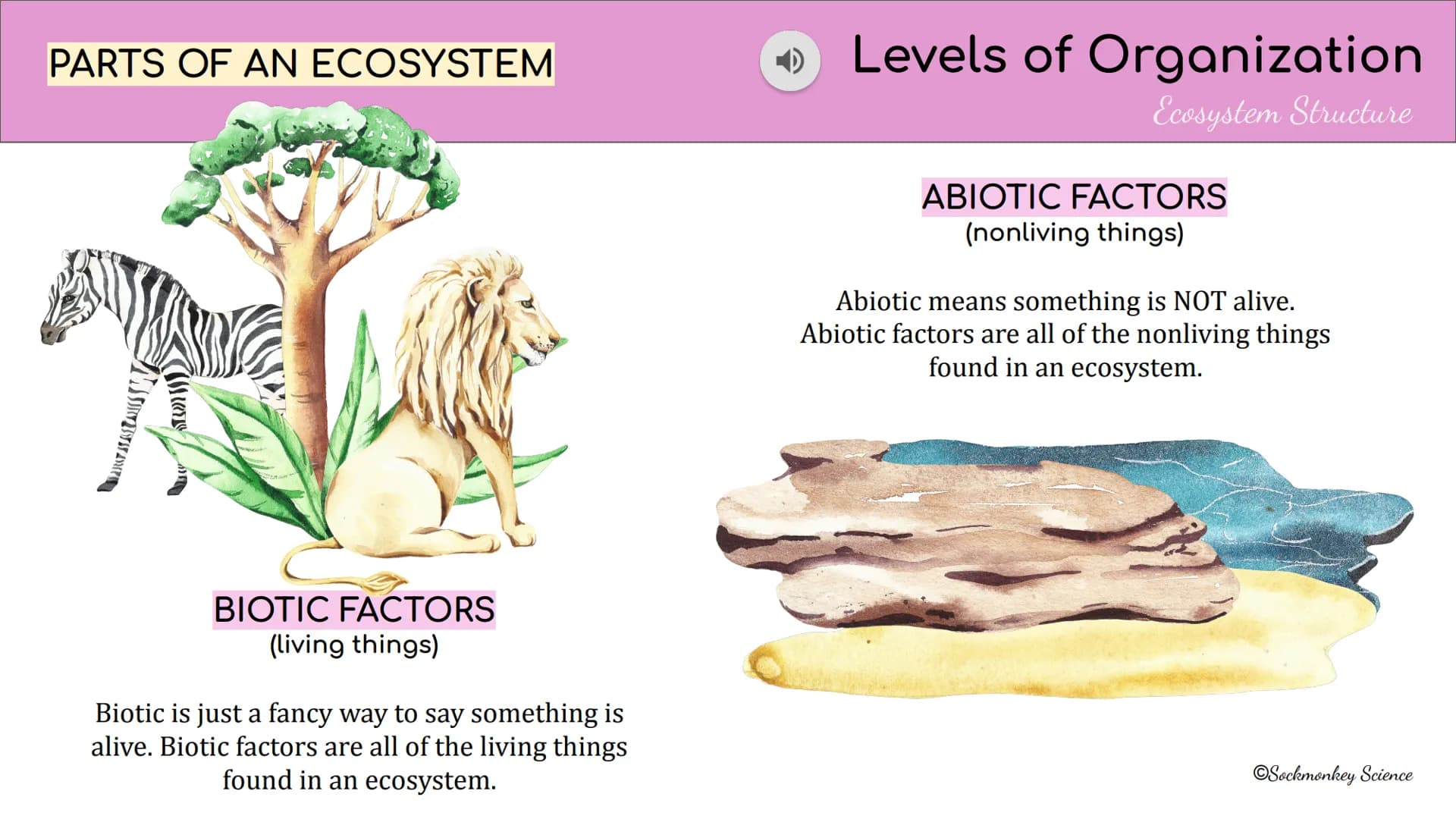
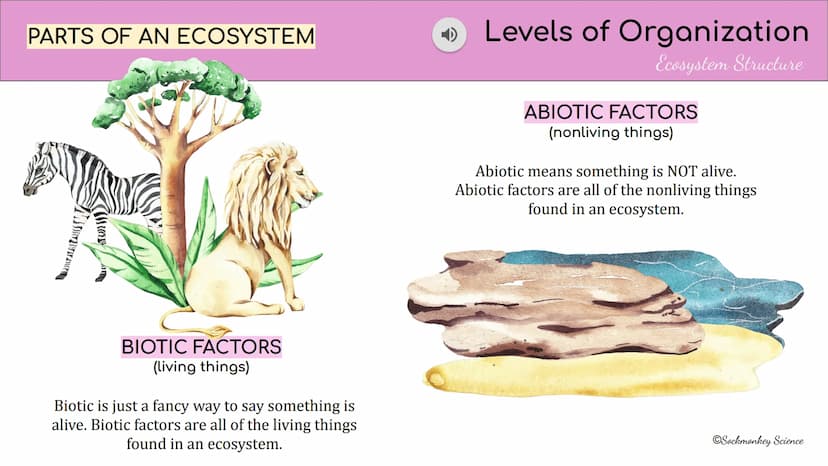
Every ecosystem has two main components that interact with each other:
Abiotic Factors are the non-living parts of an ecosystem. These include things like water, sunlight, soil, temperature, rocks, and air. "Abiotic" literally means "not alive."
Biotic Factors are all the living organisms in an ecosystem. Plants, animals, fungi, bacteria—anything that's alive is biotic. These organisms depend on abiotic factors and other biotic factors to survive.
Remember: The prefix "bio" means life, so "biotic" means related to living things!
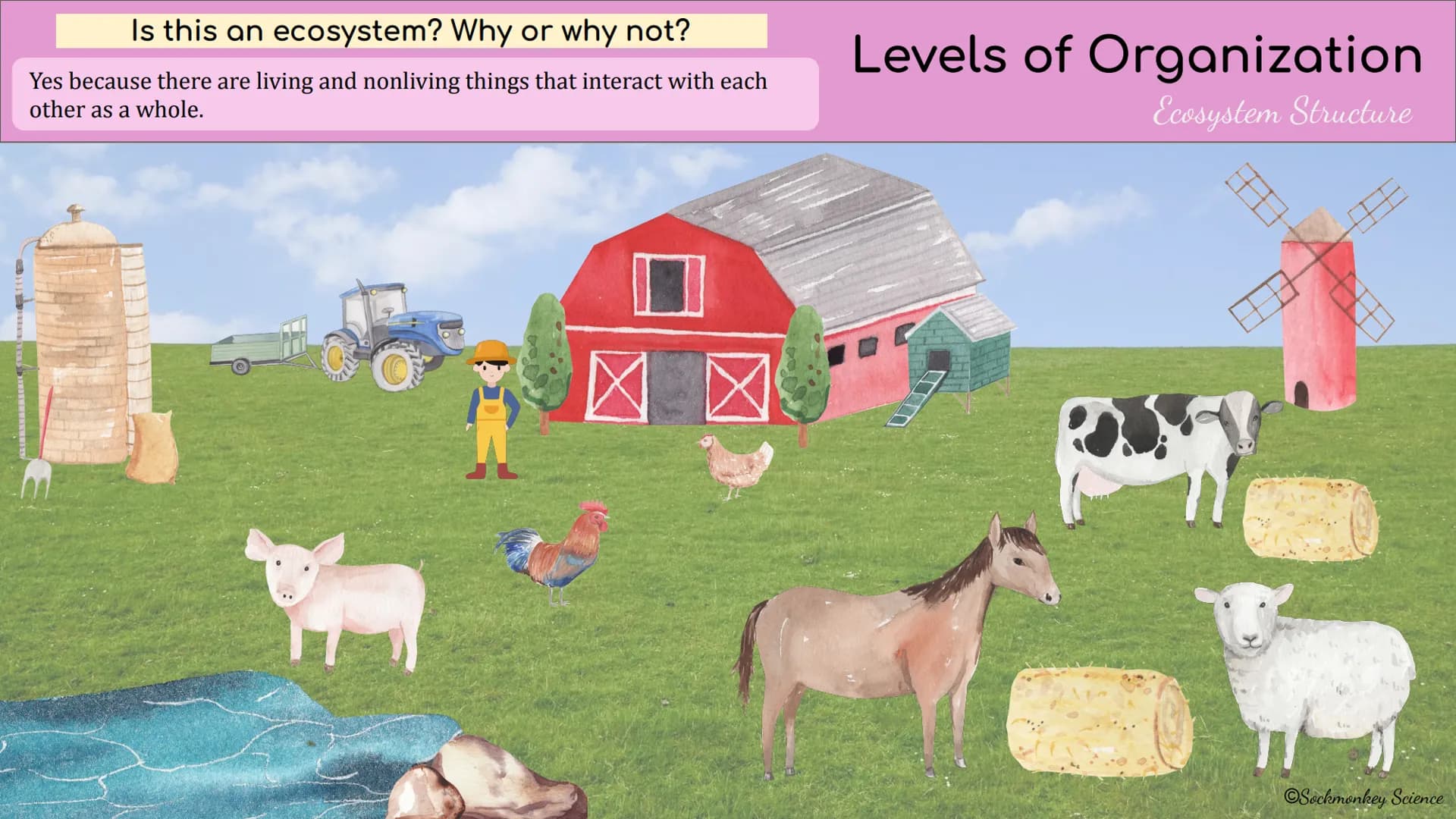
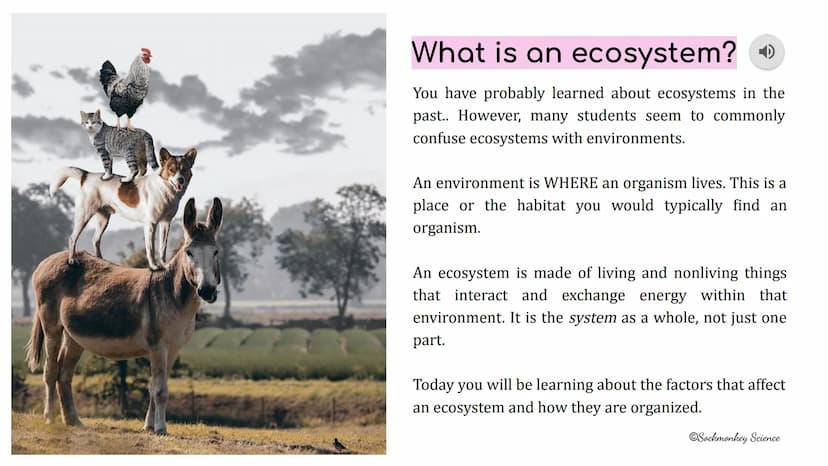
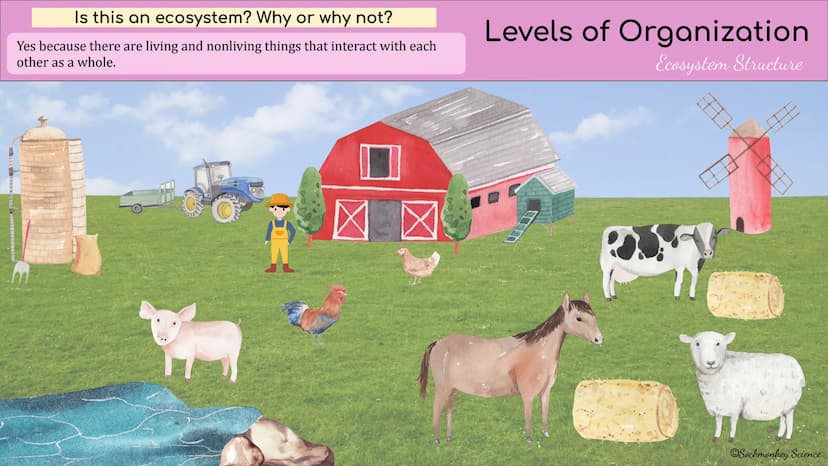
The image shows a functioning ecosystem because it contains both living and non-living elements that interact with each other as a whole system.
You can identify an ecosystem by looking for:
These interactions might include animals eating plants, plants using sunlight and soil nutrients, or animals using the environment for shelter.
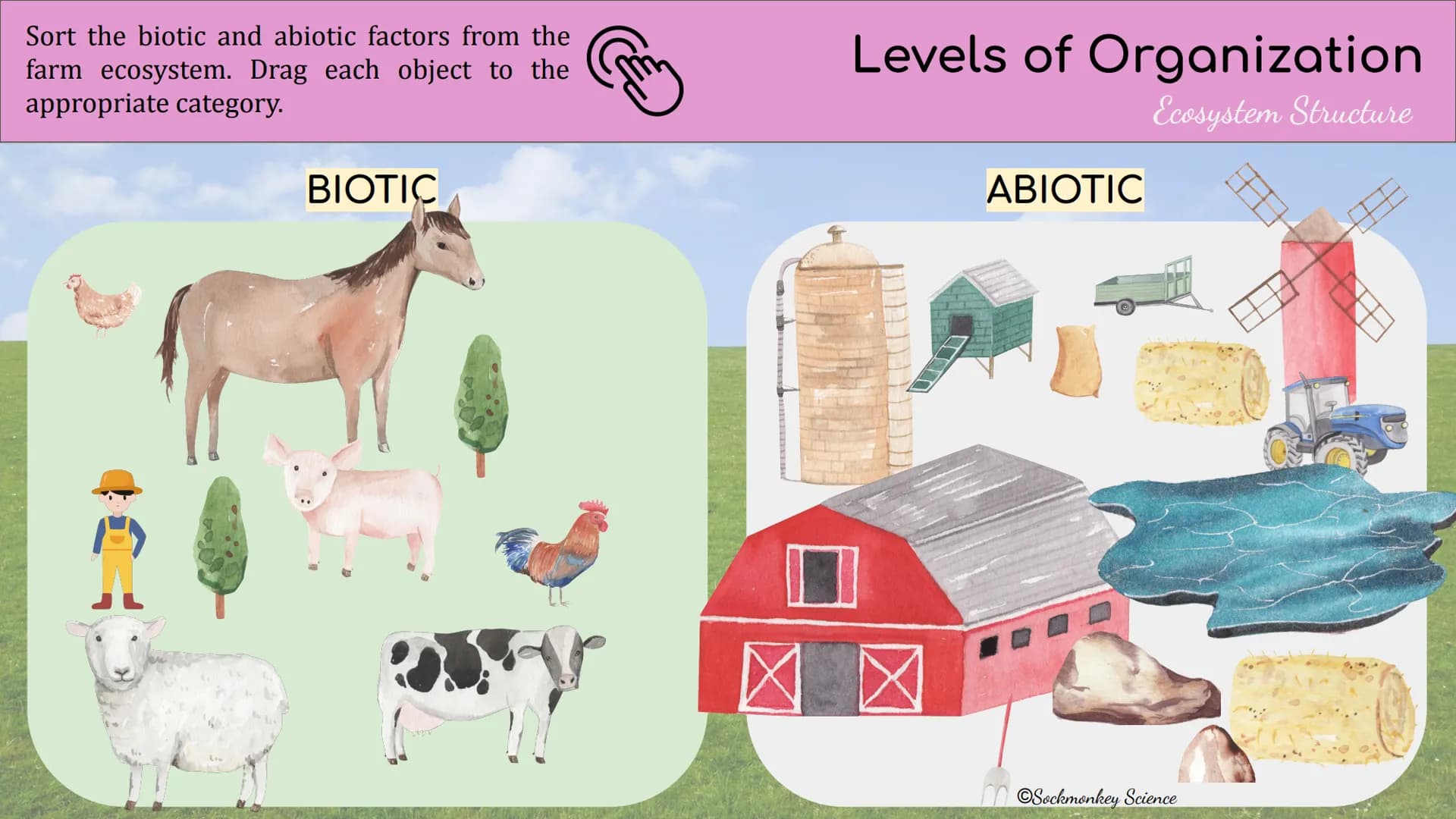
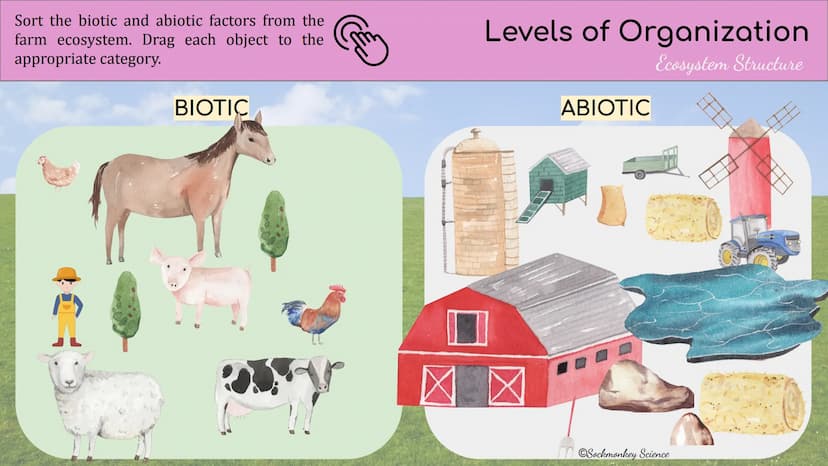
In this activity, you'll sort components from a farm ecosystem into biotic and abiotic categories.
Biotic factors include all living things on the farm:
Abiotic factors include non-living components:
Drag each component to its correct category to show you understand the difference between living and non-living parts of an ecosystem.
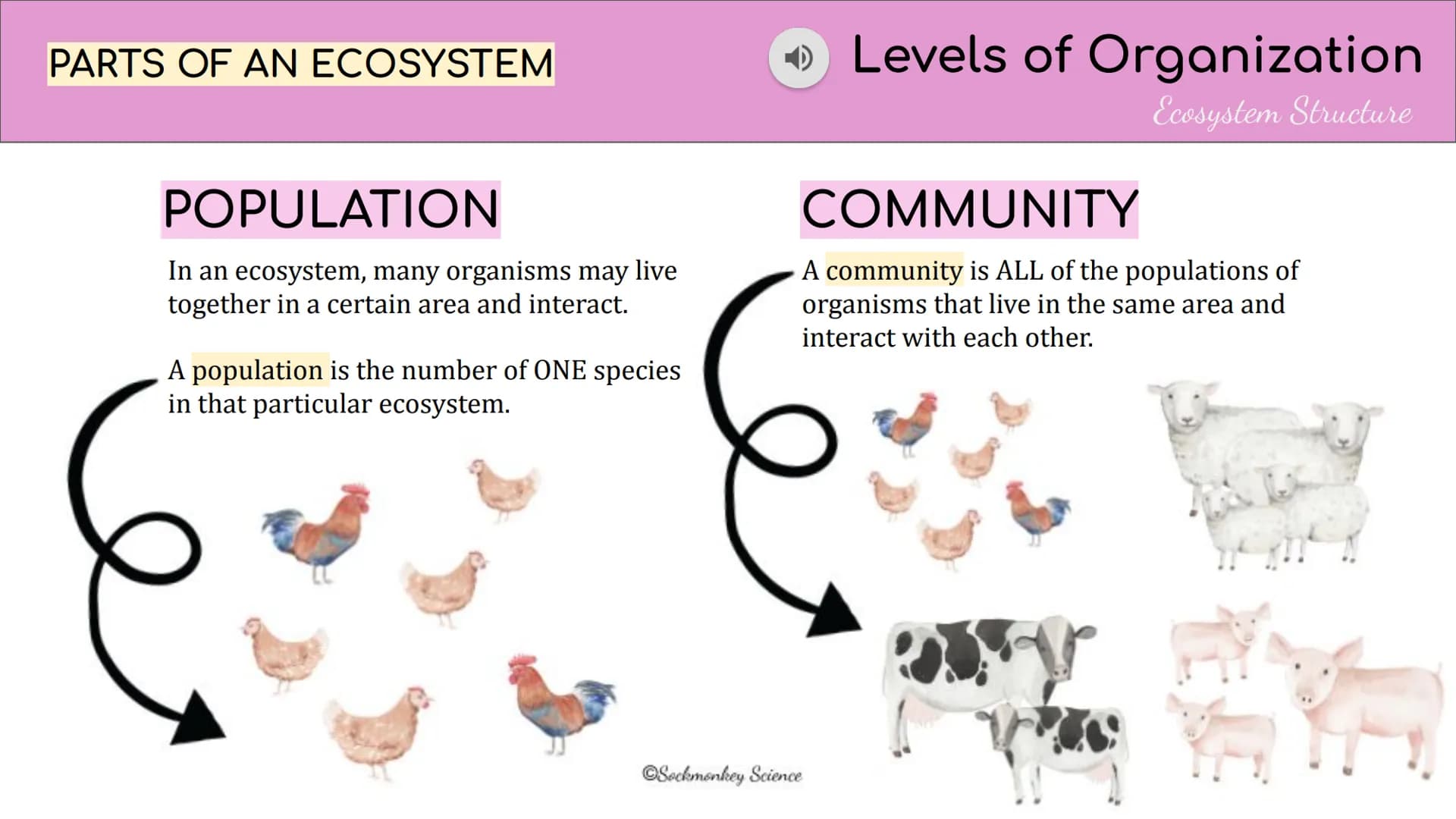
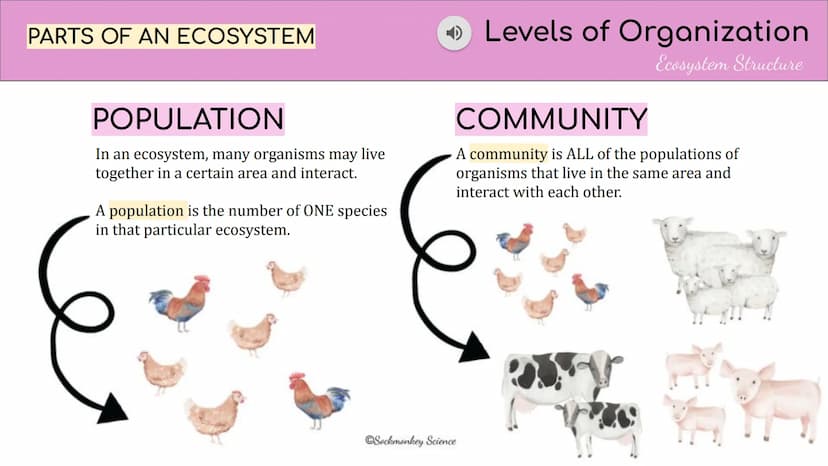
Ecosystems have different levels of organization that help scientists study them:
A population is a group of the SAME species living together in an area. For example, all the rabbits in a forest make up the rabbit population. Each species has its own separate population.
A community includes ALL populations in an area. It's all the different species living and interacting together. The forest community would include all the rabbits, foxes, birds, insects, trees, and other organisms.
Visualization Tip: Think of a population as everyone in your math class (same "species" of student), while the community is your entire school (all different types of students together).
Our AI companion is specifically built for the needs of students. Based on the millions of content pieces we have on the platform we can provide truly meaningful and relevant answers to students. But its not only about answers, the companion is even more about guiding students through their daily learning challenges, with personalised study plans, quizzes or content pieces in the chat and 100% personalisation based on the students skills and developments.
You can download the app in the Google Play Store and in the Apple App Store.
That's right! Enjoy free access to study content, connect with fellow students, and get instant help – all at your fingertips.
App Store
Google Play
The app is very easy to use and well designed. I have found everything I was looking for so far and have been able to learn a lot from the presentations! I will definitely use the app for a class assignment! And of course it also helps a lot as an inspiration.
Stefan S
iOS user
This app is really great. There are so many study notes and help [...]. My problem subject is French, for example, and the app has so many options for help. Thanks to this app, I have improved my French. I would recommend it to anyone.
Samantha Klich
Android user
Wow, I am really amazed. I just tried the app because I've seen it advertised many times and was absolutely stunned. This app is THE HELP you want for school and above all, it offers so many things, such as workouts and fact sheets, which have been VERY helpful to me personally.
Anna
iOS user
I think it’s very much worth it and you’ll end up using it a lot once you get the hang of it and even after looking at others notes you can still ask your Artificial intelligence buddy the question and ask to simplify it if you still don’t get it!!! In the end I think it’s worth it 😊👍 ⚠️Also DID I MENTION ITS FREEE YOU DON’T HAVE TO PAY FOR ANYTHING AND STILL GET YOUR GRADES IN PERFECTLY❗️❗️⚠️
Thomas R
iOS user
Knowunity is the BEST app I’ve used in a minute. This is not an ai review or anything this is genuinely coming from a 7th grade student (I know 2011 im young) but dude this app is a 10/10 i have maintained a 3.8 gpa and have plenty of time for gaming. I love it and my mom is just happy I got good grades
Brad T
Android user
Not only did it help me find the answer but it also showed me alternative ways to solve it. I was horrible in math and science but now I have an a in both subjects. Thanks for the help🤍🤍
David K
iOS user
The app's just great! All I have to do is enter the topic in the search bar and I get the response real fast. I don't have to watch 10 YouTube videos to understand something, so I'm saving my time. Highly recommended!
Sudenaz Ocak
Android user
In school I was really bad at maths but thanks to the app, I am doing better now. I am so grateful that you made the app.
Greenlight Bonnie
Android user
I found this app a couple years ago and it has only gotten better since then. I really love it because it can help with written questions and photo questions. Also, it can find study guides that other people have made as well as flashcard sets and practice tests. The free version is also amazing for students who might not be able to afford it. Would 100% recommend
Aubrey
iOS user
Best app if you're in Highschool or Junior high. I have been using this app for 2 school years and it's the best, it's good if you don't have anyone to help you with school work.😋🩷🎀
Marco B
iOS user
THE QUIZES AND FLASHCARDS ARE SO USEFUL AND I LOVE Knowunity AI. IT ALSO IS LITREALLY LIKE CHATGPT BUT SMARTER!! HELPED ME WITH MY MASCARA PROBLEMS TOO!! AS WELL AS MY REAL SUBJECTS ! DUHHH 😍😁😲🤑💗✨🎀😮
Elisha
iOS user
This app is phenomenal down to the correct info and the various topics you can study! I greatly recommend it for people who struggle with procrastination and those who need homework help. It has been perfectly accurate for world 1 history as far as I’ve seen! Geometry too!
Paul T
iOS user
The app is very easy to use and well designed. I have found everything I was looking for so far and have been able to learn a lot from the presentations! I will definitely use the app for a class assignment! And of course it also helps a lot as an inspiration.
Stefan S
iOS user
This app is really great. There are so many study notes and help [...]. My problem subject is French, for example, and the app has so many options for help. Thanks to this app, I have improved my French. I would recommend it to anyone.
Samantha Klich
Android user
Wow, I am really amazed. I just tried the app because I've seen it advertised many times and was absolutely stunned. This app is THE HELP you want for school and above all, it offers so many things, such as workouts and fact sheets, which have been VERY helpful to me personally.
Anna
iOS user
I think it’s very much worth it and you’ll end up using it a lot once you get the hang of it and even after looking at others notes you can still ask your Artificial intelligence buddy the question and ask to simplify it if you still don’t get it!!! In the end I think it’s worth it 😊👍 ⚠️Also DID I MENTION ITS FREEE YOU DON’T HAVE TO PAY FOR ANYTHING AND STILL GET YOUR GRADES IN PERFECTLY❗️❗️⚠️
Thomas R
iOS user
Knowunity is the BEST app I’ve used in a minute. This is not an ai review or anything this is genuinely coming from a 7th grade student (I know 2011 im young) but dude this app is a 10/10 i have maintained a 3.8 gpa and have plenty of time for gaming. I love it and my mom is just happy I got good grades
Brad T
Android user
Not only did it help me find the answer but it also showed me alternative ways to solve it. I was horrible in math and science but now I have an a in both subjects. Thanks for the help🤍🤍
David K
iOS user
The app's just great! All I have to do is enter the topic in the search bar and I get the response real fast. I don't have to watch 10 YouTube videos to understand something, so I'm saving my time. Highly recommended!
Sudenaz Ocak
Android user
In school I was really bad at maths but thanks to the app, I am doing better now. I am so grateful that you made the app.
Greenlight Bonnie
Android user
I found this app a couple years ago and it has only gotten better since then. I really love it because it can help with written questions and photo questions. Also, it can find study guides that other people have made as well as flashcard sets and practice tests. The free version is also amazing for students who might not be able to afford it. Would 100% recommend
Aubrey
iOS user
Best app if you're in Highschool or Junior high. I have been using this app for 2 school years and it's the best, it's good if you don't have anyone to help you with school work.😋🩷🎀
Marco B
iOS user
THE QUIZES AND FLASHCARDS ARE SO USEFUL AND I LOVE Knowunity AI. IT ALSO IS LITREALLY LIKE CHATGPT BUT SMARTER!! HELPED ME WITH MY MASCARA PROBLEMS TOO!! AS WELL AS MY REAL SUBJECTS ! DUHHH 😍😁😲🤑💗✨🎀😮
Elisha
iOS user
This app is phenomenal down to the correct info and the various topics you can study! I greatly recommend it for people who struggle with procrastination and those who need homework help. It has been perfectly accurate for world 1 history as far as I’ve seen! Geometry too!
Paul T
iOS user
Ecosystems are where living and non-living things interact and exchange energy. In these lessons, you'll learn how ecosystems are organized, from individual organisms to the entire ecosystem. Understanding these levels will help you see how nature is structured and connected!
Access to all documents
Improve your grades
Join milions of students
When completing this digital assignment, look for these icons that tell you what to do:
Pro Tip: Familiarize yourself with these icons before starting so you can work through the assignment smoothly!
These instructions will help you navigate through the ecosystem activities that follow.
Access to all documents
Improve your grades
Join milions of students
Google Slides has many helpful tools for your ecosystem assignment:
The basic tools let you zoom in/out, insert images, change backgrounds, and select objects. For text, simply click the text box tool to start typing.
The shape tools are super useful for diagrams! You can draw regular shapes, lines, arrows, and connectors by clicking the arrow next to the Line Tool.
Scribble (the bottom option) lets you draw freehand—perfect for creating custom ecosystem illustrations or highlighting relationships between organisms.
Did you know? The curved and elbow connectors are great for creating food web diagrams that show energy flow in ecosystems!
Access to all documents
Improve your grades
Join milions of students
This assignment explores how ecosystems are structured and organized. You'll learn about the different levels that make up ecosystems, from individual organisms to entire communities.
Understanding these levels helps scientists study how living things interact with each other and their environment. Get ready to explore ecosystems from the ground up!
Access to all documents
Improve your grades
Join milions of students
Have you ever mixed up ecosystems and environments? Many students do! Let's clear this up.
An environment is simply WHERE an organism lives—it's the physical place or habitat. Think of it as the address or location.
An ecosystem is much more—it's the complete system of living and nonliving things that interact and exchange energy in that environment. It's like a neighborhood where everyone and everything depends on each other.
Think about it: Your school is an environment, but when you include all the people, plants, animals, and their interactions with things like water, air, and sunlight—that's the ecosystem!
Access to all documents
Improve your grades
Join milions of students
Now it's time to watch a video about ecosystem structure and how ecosystems work. This video will explain the key components and relationships in ecosystems.
Before clicking play, take a quick peek at the questions on the next slide. Knowing what to listen for will help you catch the important details the first time around!
Smart Strategy: You might need to watch the video twice to catch all the answers—this is normal! Pause when you need to take notes.
Access to all documents
Improve your grades
Join milions of students
After watching the ecosystem video, you should be able to answer these key questions:
The difference between ecosystems and habitats: A habitat is just where an animal lives, while an ecosystem includes all living (biotic) and non-living (abiotic) factors in that habitat.
Ecosystem boundaries can be tricky to define because ecosystems often connect to each other—like forests blending into other ecosystem types.
Trophic structure organizes organisms into levels based on energy consumption. This helps track how energy flows through the ecosystem.
Food webs are better than simple food chains because they show multiple interconnected energy pathways, giving a more complete picture of energy flow.
Access to all documents
Improve your grades
Join milions of students
Every ecosystem has two main components that interact with each other:
Abiotic Factors are the non-living parts of an ecosystem. These include things like water, sunlight, soil, temperature, rocks, and air. "Abiotic" literally means "not alive."
Biotic Factors are all the living organisms in an ecosystem. Plants, animals, fungi, bacteria—anything that's alive is biotic. These organisms depend on abiotic factors and other biotic factors to survive.
Remember: The prefix "bio" means life, so "biotic" means related to living things!
Access to all documents
Improve your grades
Join milions of students
The image shows a functioning ecosystem because it contains both living and non-living elements that interact with each other as a whole system.
You can identify an ecosystem by looking for:
These interactions might include animals eating plants, plants using sunlight and soil nutrients, or animals using the environment for shelter.
Access to all documents
Improve your grades
Join milions of students
In this activity, you'll sort components from a farm ecosystem into biotic and abiotic categories.
Biotic factors include all living things on the farm:
Abiotic factors include non-living components:
Drag each component to its correct category to show you understand the difference between living and non-living parts of an ecosystem.
Access to all documents
Improve your grades
Join milions of students
Ecosystems have different levels of organization that help scientists study them:
A population is a group of the SAME species living together in an area. For example, all the rabbits in a forest make up the rabbit population. Each species has its own separate population.
A community includes ALL populations in an area. It's all the different species living and interacting together. The forest community would include all the rabbits, foxes, birds, insects, trees, and other organisms.
Visualization Tip: Think of a population as everyone in your math class (same "species" of student), while the community is your entire school (all different types of students together).
Our AI companion is specifically built for the needs of students. Based on the millions of content pieces we have on the platform we can provide truly meaningful and relevant answers to students. But its not only about answers, the companion is even more about guiding students through their daily learning challenges, with personalised study plans, quizzes or content pieces in the chat and 100% personalisation based on the students skills and developments.
You can download the app in the Google Play Store and in the Apple App Store.
That's right! Enjoy free access to study content, connect with fellow students, and get instant help – all at your fingertips.
2
Smart Tools NEW
Transform this note into: ✓ 50+ Practice Questions ✓ Interactive Flashcards ✓ Full Practice Test ✓ Essay Outlines
App Store
Google Play
The app is very easy to use and well designed. I have found everything I was looking for so far and have been able to learn a lot from the presentations! I will definitely use the app for a class assignment! And of course it also helps a lot as an inspiration.
Stefan S
iOS user
This app is really great. There are so many study notes and help [...]. My problem subject is French, for example, and the app has so many options for help. Thanks to this app, I have improved my French. I would recommend it to anyone.
Samantha Klich
Android user
Wow, I am really amazed. I just tried the app because I've seen it advertised many times and was absolutely stunned. This app is THE HELP you want for school and above all, it offers so many things, such as workouts and fact sheets, which have been VERY helpful to me personally.
Anna
iOS user
I think it’s very much worth it and you’ll end up using it a lot once you get the hang of it and even after looking at others notes you can still ask your Artificial intelligence buddy the question and ask to simplify it if you still don’t get it!!! In the end I think it’s worth it 😊👍 ⚠️Also DID I MENTION ITS FREEE YOU DON’T HAVE TO PAY FOR ANYTHING AND STILL GET YOUR GRADES IN PERFECTLY❗️❗️⚠️
Thomas R
iOS user
Knowunity is the BEST app I’ve used in a minute. This is not an ai review or anything this is genuinely coming from a 7th grade student (I know 2011 im young) but dude this app is a 10/10 i have maintained a 3.8 gpa and have plenty of time for gaming. I love it and my mom is just happy I got good grades
Brad T
Android user
Not only did it help me find the answer but it also showed me alternative ways to solve it. I was horrible in math and science but now I have an a in both subjects. Thanks for the help🤍🤍
David K
iOS user
The app's just great! All I have to do is enter the topic in the search bar and I get the response real fast. I don't have to watch 10 YouTube videos to understand something, so I'm saving my time. Highly recommended!
Sudenaz Ocak
Android user
In school I was really bad at maths but thanks to the app, I am doing better now. I am so grateful that you made the app.
Greenlight Bonnie
Android user
I found this app a couple years ago and it has only gotten better since then. I really love it because it can help with written questions and photo questions. Also, it can find study guides that other people have made as well as flashcard sets and practice tests. The free version is also amazing for students who might not be able to afford it. Would 100% recommend
Aubrey
iOS user
Best app if you're in Highschool or Junior high. I have been using this app for 2 school years and it's the best, it's good if you don't have anyone to help you with school work.😋🩷🎀
Marco B
iOS user
THE QUIZES AND FLASHCARDS ARE SO USEFUL AND I LOVE Knowunity AI. IT ALSO IS LITREALLY LIKE CHATGPT BUT SMARTER!! HELPED ME WITH MY MASCARA PROBLEMS TOO!! AS WELL AS MY REAL SUBJECTS ! DUHHH 😍😁😲🤑💗✨🎀😮
Elisha
iOS user
This app is phenomenal down to the correct info and the various topics you can study! I greatly recommend it for people who struggle with procrastination and those who need homework help. It has been perfectly accurate for world 1 history as far as I’ve seen! Geometry too!
Paul T
iOS user
The app is very easy to use and well designed. I have found everything I was looking for so far and have been able to learn a lot from the presentations! I will definitely use the app for a class assignment! And of course it also helps a lot as an inspiration.
Stefan S
iOS user
This app is really great. There are so many study notes and help [...]. My problem subject is French, for example, and the app has so many options for help. Thanks to this app, I have improved my French. I would recommend it to anyone.
Samantha Klich
Android user
Wow, I am really amazed. I just tried the app because I've seen it advertised many times and was absolutely stunned. This app is THE HELP you want for school and above all, it offers so many things, such as workouts and fact sheets, which have been VERY helpful to me personally.
Anna
iOS user
I think it’s very much worth it and you’ll end up using it a lot once you get the hang of it and even after looking at others notes you can still ask your Artificial intelligence buddy the question and ask to simplify it if you still don’t get it!!! In the end I think it’s worth it 😊👍 ⚠️Also DID I MENTION ITS FREEE YOU DON’T HAVE TO PAY FOR ANYTHING AND STILL GET YOUR GRADES IN PERFECTLY❗️❗️⚠️
Thomas R
iOS user
Knowunity is the BEST app I’ve used in a minute. This is not an ai review or anything this is genuinely coming from a 7th grade student (I know 2011 im young) but dude this app is a 10/10 i have maintained a 3.8 gpa and have plenty of time for gaming. I love it and my mom is just happy I got good grades
Brad T
Android user
Not only did it help me find the answer but it also showed me alternative ways to solve it. I was horrible in math and science but now I have an a in both subjects. Thanks for the help🤍🤍
David K
iOS user
The app's just great! All I have to do is enter the topic in the search bar and I get the response real fast. I don't have to watch 10 YouTube videos to understand something, so I'm saving my time. Highly recommended!
Sudenaz Ocak
Android user
In school I was really bad at maths but thanks to the app, I am doing better now. I am so grateful that you made the app.
Greenlight Bonnie
Android user
I found this app a couple years ago and it has only gotten better since then. I really love it because it can help with written questions and photo questions. Also, it can find study guides that other people have made as well as flashcard sets and practice tests. The free version is also amazing for students who might not be able to afford it. Would 100% recommend
Aubrey
iOS user
Best app if you're in Highschool or Junior high. I have been using this app for 2 school years and it's the best, it's good if you don't have anyone to help you with school work.😋🩷🎀
Marco B
iOS user
THE QUIZES AND FLASHCARDS ARE SO USEFUL AND I LOVE Knowunity AI. IT ALSO IS LITREALLY LIKE CHATGPT BUT SMARTER!! HELPED ME WITH MY MASCARA PROBLEMS TOO!! AS WELL AS MY REAL SUBJECTS ! DUHHH 😍😁😲🤑💗✨🎀😮
Elisha
iOS user
This app is phenomenal down to the correct info and the various topics you can study! I greatly recommend it for people who struggle with procrastination and those who need homework help. It has been perfectly accurate for world 1 history as far as I’ve seen! Geometry too!
Paul T
iOS user